The Automation Handbook
Operations and Product · Nº 60
The Automation Handbook
Tools and Integrations for Small Teams
You type the same customer's name into five places. Then you check they all match.
24 tools to map what your business already uses, connect it without writing code, and give every automation an owner and a plan B, with a spreadsheet and one business worked through for six months.
You get 24 tools to take a tool inventory, test a management system before you sign, get contracts e-signed, automate billing and reconciliation, send reminders on schedule, and lock down passwords and backups. Plus a 7-tab spreadsheet and 15 templates.
A book explains the method. This handbook puts it to work: the tool, a worked example, and a spreadsheet with your numbers.
One-time payment of $29.00. The order form shows the final amount, with any taxes for your country, before you pay.
Digital delivery: PDF handbook, spreadsheet and access on the Consylion platform.
14-day money-back guarantee: if it isn't what you expected, request a full refund within 14 days of purchase.
Your order is processed by Digistore24, our authorized reseller. By purchasing, you accept the terms of use and purchase · refund policy.
A customer books. The details go into the notebook, then the spreadsheet, then the contract, then the bank, then the team group chat. Somewhere along the way a date gets typed wrong. Payment requests go out when someone remembers. The bank password is on a scrap of paper in a drawer. You pay for subscriptions nobody opens. And if the laptop dies tonight, nobody's quite sure where the signed contracts are backed up.
THE SPREADSHEET
Automation spreadsheet
Use the completed example as a reference and enter your business data in the marked fields. Check the instructions and the calculations before you make a decision.
SOUND FAMILIAR?
Three situations this handbook solves
A sales rep wants to sell you a new system
Before the demo, you open the tool inventory and the automation queue. You know which task eats the most hours, what you already pay for, and the ten real cases the system has to handle in a fourteen-day test before you sign.
Saturday is your busiest day, and billing just failed
Nobody panics. The automation has an owner, the plan B is written down and was practiced, and the failure goes into the log. The payment requests go out by hand this once, and Monday you fix the cause.
An employee is leaving on Friday
You open the offboarding template. Every account they used is on the list, each person has a separate login, and access comes off the same day. The bank password is in the password manager, not on a scrap of paper.
INSIDE
What you'll find in each tool
Five parts, in order. Map every tool you use and where the same data gets typed twice. Pick a management system by scored criteria, test it before you sign, and move contracts online. Automate the money: billing, reconciliation, invoices, and bills. Set up reminders, staff alerts, and connections, each with a plan B. Then protect it all and give each automation an owner. Every tool has a step by step, a worked example, and an exercise.
WHAT YOU GET
Everything included in your purchase
- The Automation Handbook in PDF: 24 tools, each with a step by step, a worked example, and an exercise
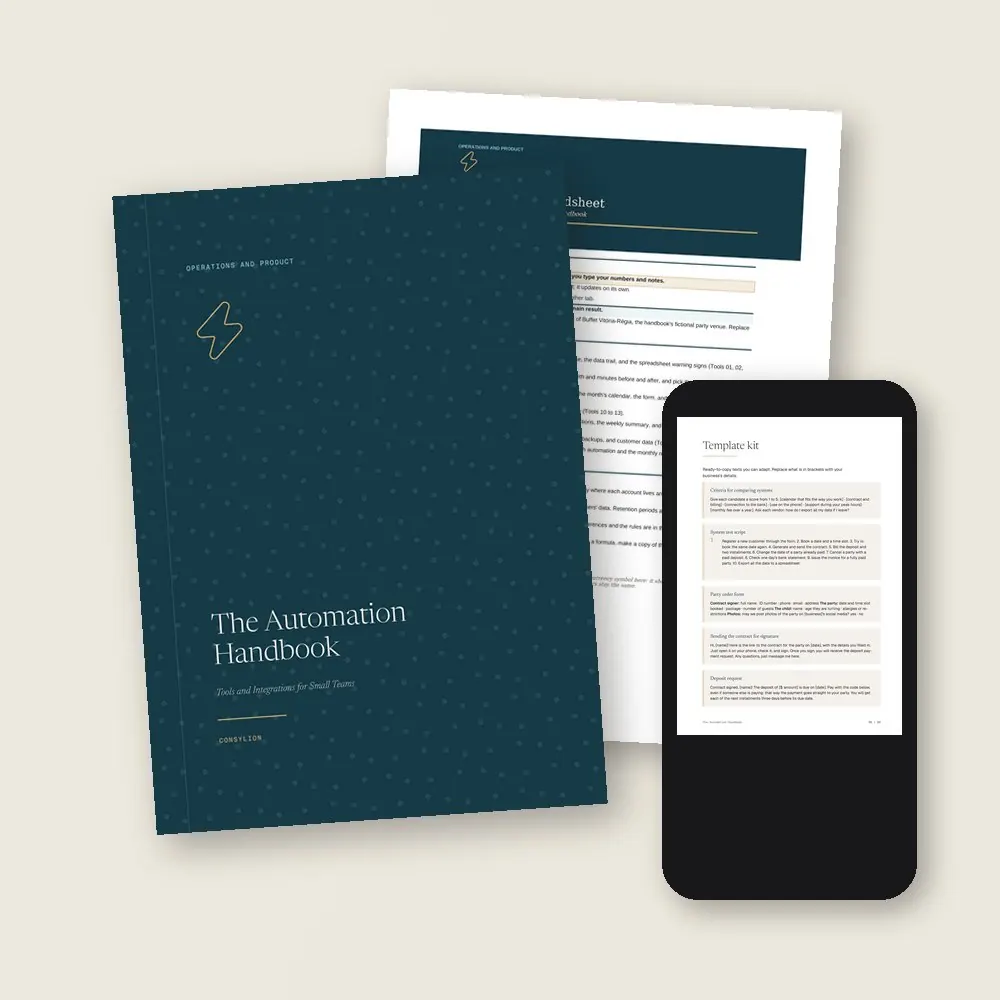
- The Automation spreadsheet in Excel and Google Sheets, with 7 tabs, filled in with the example company
- The Template kit: 15 ready-made texts, from the system test script and the order form to payment reminders, the folder structure, and the failure log
- 2 worksheets to fill in (tool inventory and automation) and a 30-day plan, one week per stage
- Access to your handbook on the Consylion platform
Full table of contents
The 24 tools, in the order you'll use them
Part 1 · Part 1 · Mapping your tools
- 01Tool inventoryEverything the business uses today, from the notebook to the apps, with cost and owner
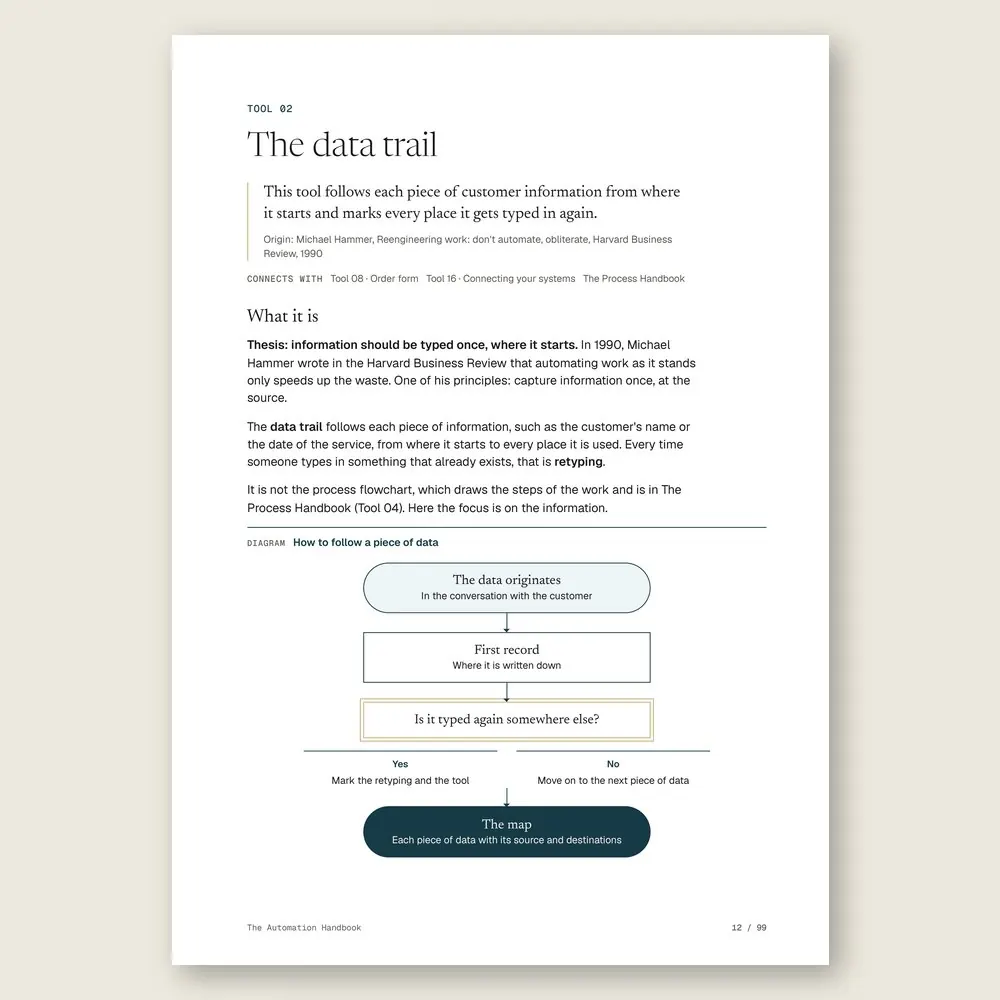
- 02The data trailWhere each piece of information starts and every place it gets typed again
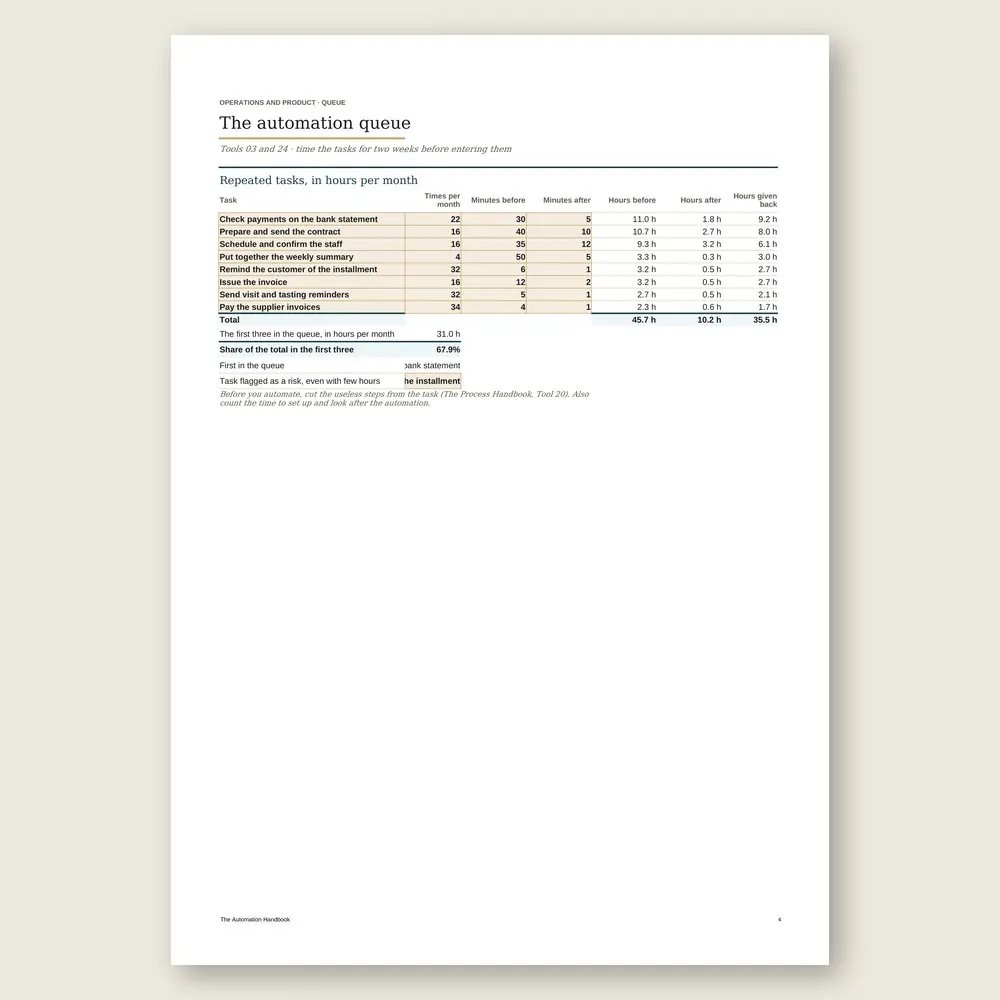
- 03The automation queueHours per month for each repeated task, so you know what to automate first
- 04Spreadsheet or systemThe signs that your spreadsheet can't keep up anymore
Part 2 · Part 2 · The system, the calendar, and the contract
- 05Choosing a management systemScored criteria to compare candidates by the work they actually do for you
- 06Test before you signTen real cases in fourteen days, run by the people who will use it
- 07One shared calendarRooms, visits, and staff in one calendar, with no double bookings
- 08Order formAsk for the customer's details once, the right way, and stop retyping them
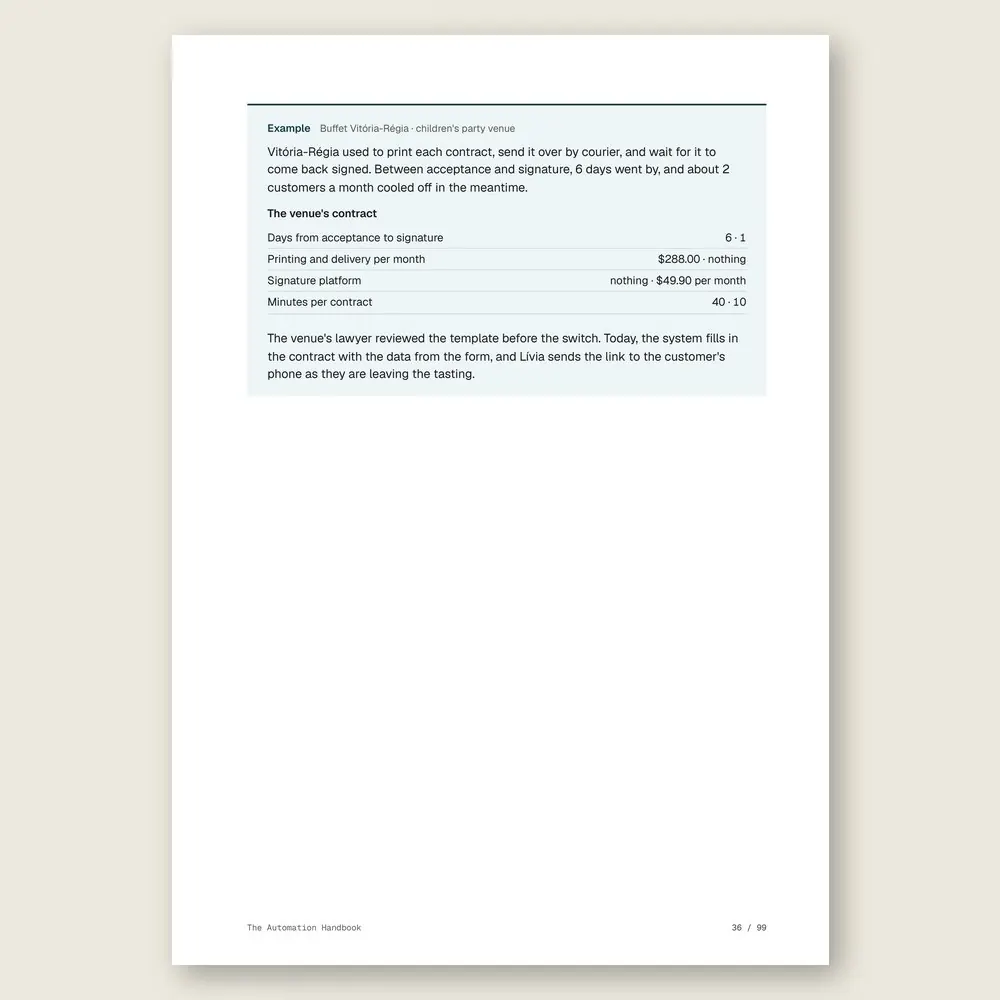
- 09Contracts with e-signaturesFrom yes to signature on the same day, before the customer cools off
Part 3 · Part 3 · Money without retyping
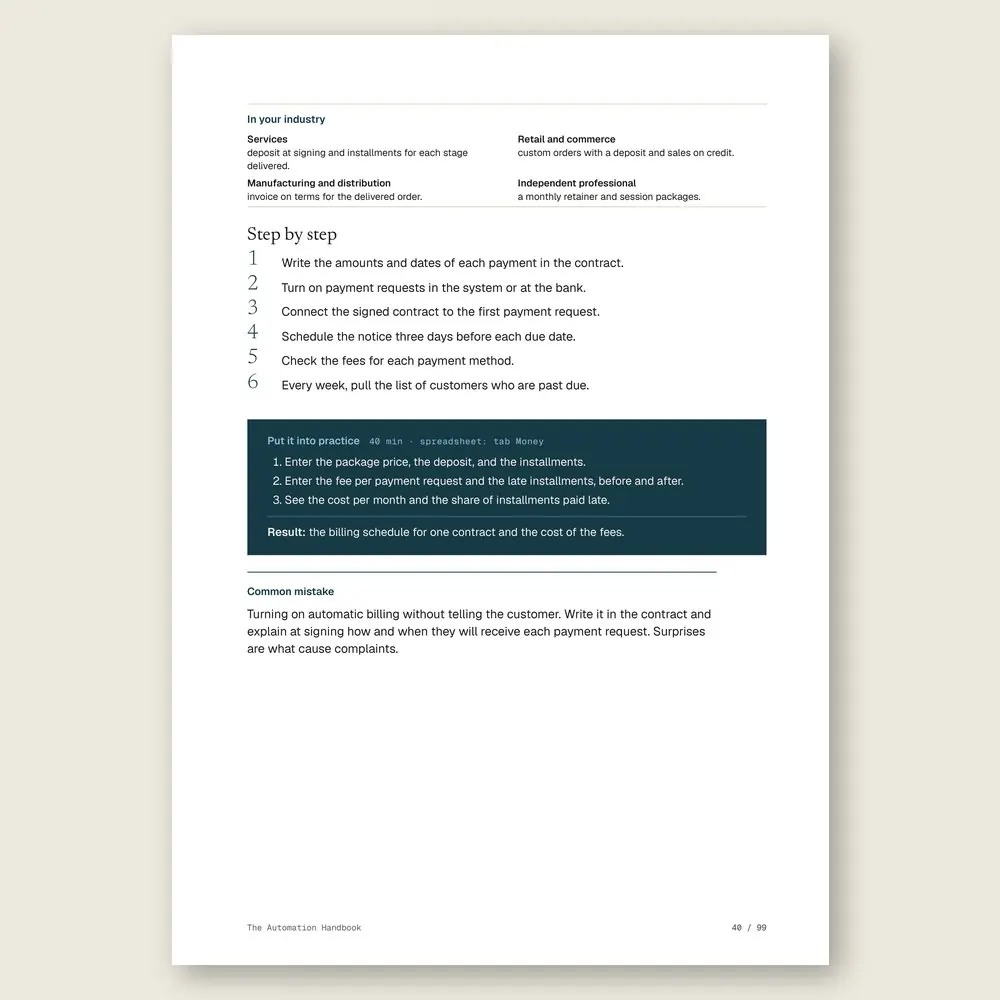
- 10Automatic billingDeposit and installments with due dates, sent by the system instead of your memory
- 11Automatic reconciliationThe bank statement checked against what you expect to receive
- 12Invoices without retypingThe invoice comes straight from the contract data
- 13Bills paid on autopilotSupplier bills scheduled as they arrive, and checked
Part 4 · Part 4 · Alerts and integrations
- 14Reminders that go out on their ownVisits, appointments, installments, and the day-before reminder, each sent at the right time
- 15Alerts for event staffScheduling, confirmation, and backups for people who work per job
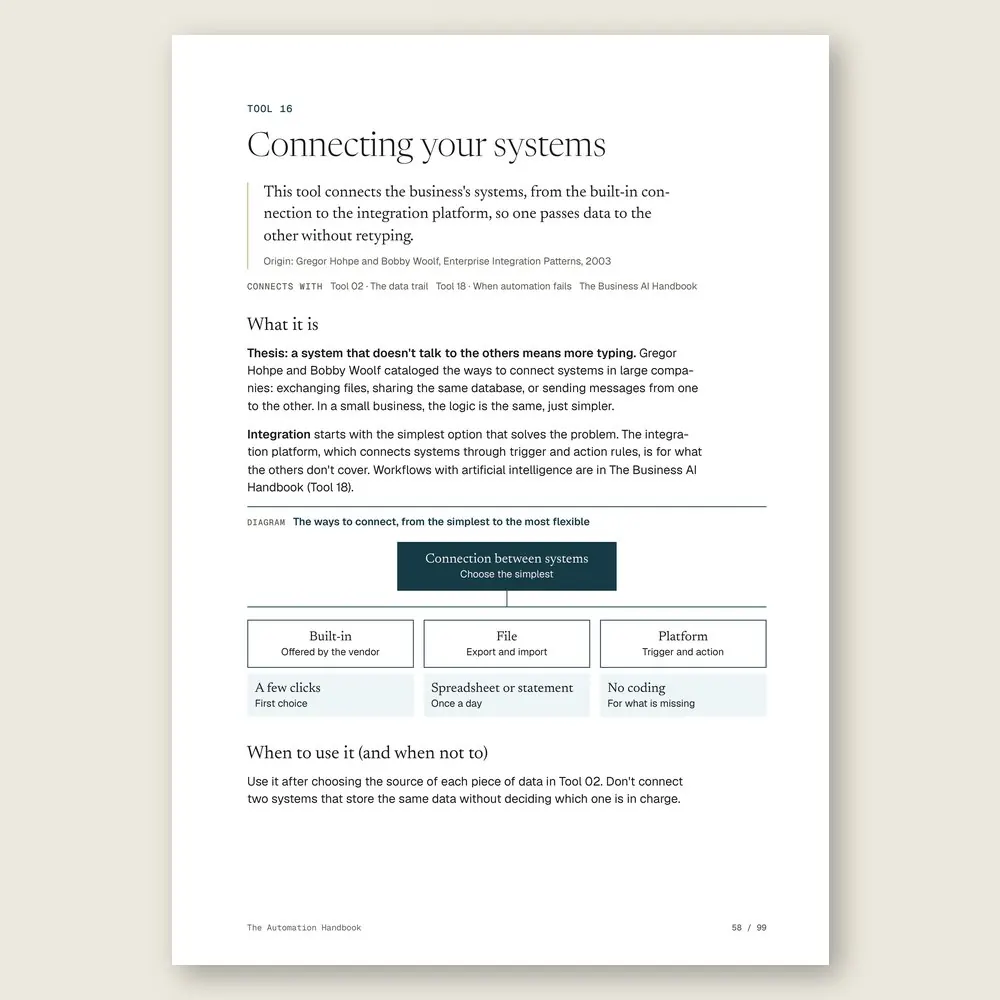
- 16Connecting your systemsBuilt-in connection, file, or integration platform, with no coding
- 17The report that sends itselfThe week's numbers on screen before anyone has to ask
- 18When automation failsAn alert, a plan B, and a log for the failure that will happen
Part 5 · Part 5 · Protect and maintain
- 19Shared folders and documentsA folder and file naming structure anyone on the team can follow
- 20Access, passwords, and two-step verificationOne login per person, a password manager, and access removed when someone leaves
- 213-2-1 backupThree copies, two places, one offsite, and a restore test so you know it works
- 22Customer data handled with careKeep only what you need, store it with care, and delete it on schedule
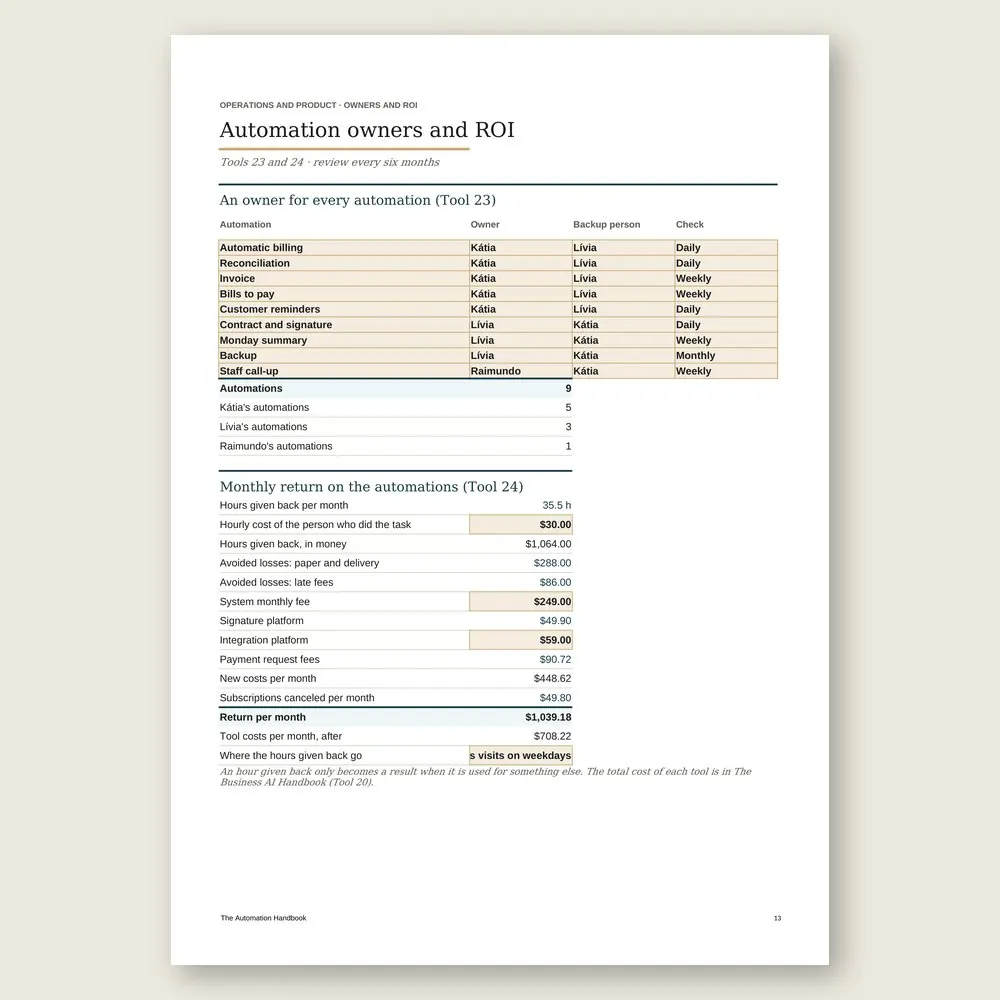
- 23An owner for every automationWho looks after it, who fills in, and the one-page worksheet
- 24The return on each automationHours saved, losses avoided, and monthly fees in the same calculation
Who it's for
It's for you if
- You type the same information in several places and then spend time checking whether it all matches
- You send payment requests, reminders, and confirmations by hand, one at a time, from your phone
- You pay for subscriptions nobody uses and can't say who looks after each tool
- You want your systems to talk to each other without hiring a developer or learning to code
- You run a small team in services, retail, manufacturing, or an independent practice
It's not for you if
- You need to map and write down your processes before you automate anything. Start with The Process Handbook
- You want to use AI to write, answer customers, or analyze data. That's The Business AI Handbook
- You want to sell through chat with automated messages. See The WhatsApp Sales Handbook
- You want a promise of savings or revenue. This handbook organizes your tools and shows you how to measure the return on each automation
Frequently asked questions
Do I need an expensive system to automate?
No. A lot gets done with your bank, an online calendar, and a well-connected spreadsheet. The handbook shows you the signs that it's time for a management system, and how to test one before you sign.
Do I need to know how to code?
No. You start with the connections your systems already have built in, and with files. An integration platform, which builds rules without code, is for whatever's left.
I don't run a party venue. Will this work for me?
The example is a children's party venue, but every tool shows how it applies to services, retail, manufacturing and distribution, and independent professionals. If you book, bill, remind, and store files, it fits.
Where do I start?
With the tool inventory and the automation queue. The task that eats the most hours a month goes first. The one that causes a loss when it fails comes right after. One automation at a time, each with an owner.
Is a contract signed on a phone valid?
For everyday contracts with customers, it usually is, as long as you keep the signature record. Some documents need a stronger type of signature, and the rules vary by country. The handbook tells you what to confirm with your lawyer before you switch.
How much time does this take?
About 2 hours and 24 minutes of reading, or 6 minutes per tool, plus the exercises. It's written for beginners. In the example, the changes roll out over six months, one automation at a time, with the return calculated at the end.
What do I get, and in what formats?
Each handbook is a PDF of about 100 pages with 24 to 27 tools. Every tool has step-by-step instructions and a worked example. You also get the handbook's spreadsheet in Excel (.xlsx), which opens in Google Sheets too, with the example already filled in. The message, policy, and clause templates are in the Template Kit inside the PDF, ready to copy and adapt. Read it in the member area or download the files.
How do I know if it fits my business?
Each handbook's page shows the problem it solves, who it is for and who it is not for, the full table of contents, sample pages, and the company used in the examples. The examples come from small businesses in several industries, with illustrative numbers. If it is not a fit, you can ask for a full refund within 14 days of your purchase, as described in the Refund Policy.
What is the difference between a handbook, an area set, and the Series?
A handbook solves one problem. An area set brings together every handbook and spreadsheet in one of the 6 areas, for less than the price of 5 single handbooks. The Consylion Handbook Series brings together all 100 handbooks and 100 spreadsheets, for less than the price of 8 single handbooks, and includes the next handbooks in the Series. Products outside the Series, from Consylion Life or Consylion Business, have their own price. They are sold separately and are not part of an area set or the Series.
Do I need to read everything before I start?
No. Each tool works on its own. Open the table of contents, pick the tool for today's problem, and start there. You can also read it cover to cover.
Do I need to know Excel?
The basics are enough: open the file and fill in the marked fields. The formulas are already built, and the handbook's example is filled in for reference.
How do I pay, and when do I get access?
By card or bank transfer, as a one-time payment with no subscription. Once your payment is confirmed, you get access to the member area by email. Approved card payments are confirmed right away. Bank transfers are confirmed when the funds clear. If access does not arrive within 24 hours of confirmation, check your spam folder and write to team@consylion.org.
How long do I have access, and how can I use the files?
Access does not expire, and you can download the files for offline use. The license is individual. You may read the handbooks, print them for your own use, and fill in and adapt the spreadsheet and templates with your company's data. If you are a consultant, accountant, or manager, you may apply the tools with your clients and deliver the result of your work, not the files. You may not share, resell, or distribute the files or the access.
How do support and refunds work?
Support is by email at team@consylion.org, on business days, with a reply within 5 business days. It covers questions about access, files, and payment. It does not include consulting or advice on applying the material to your case. You can cancel within 14 days of your purchase, without giving a reason, and get the full amount back through the payment method you used. Send the request to the same email. The details are in the Refund Policy.
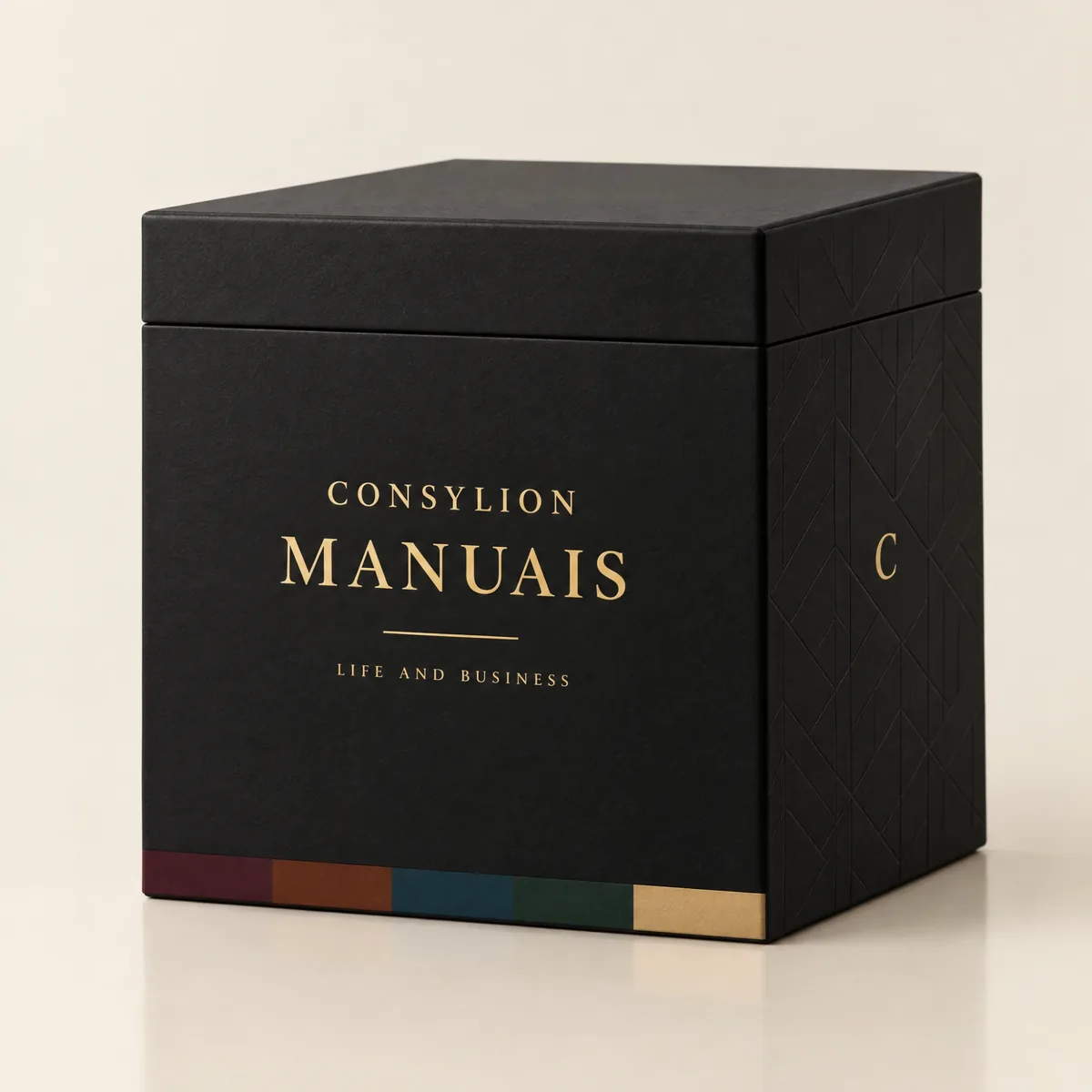
CONSYLION HANDBOOK SERIES
The 6 departments of your business, for less than the price of 8 single handbooks.
This handbook solves today's problem. The Series solves the next one, and the one after that, with nothing more to pay.
- 100 handbooks with 2,403 ready-made tools, to read on screen and download as PDFs
- 100 spreadsheets for Excel and Google Sheets
- 6 business areas
- Lifetime access, unlocked once payment is confirmed
One-time payment of $197.00. The order form shows the final amount, with any taxes for your country, before you pay.
Digital delivery: PDF handbook, spreadsheet and access on the Consylion platform.
14-day money-back guarantee: if it isn't what you expected, request a full refund within 14 days of purchase.
Your order is processed by Digistore24, our authorized reseller. By purchasing, you accept the terms of use and purchase · refund policy.
Operations and Product · Nº 60
Type it once. Let the rest follow.
Automating doesn't mean buying an expensive system or learning to code. It means choosing a few tools well, connecting them, and deciding who looks after each one. This handbook gives you 24 tools, the spreadsheet, the templates, and a business that did it one automation at a time.
See all 100 handbooks · $197.00
One-time payment of $29.00. The order form shows the final amount, with any taxes for your country, before you pay.
Digital delivery: PDF handbook, spreadsheet and access on the Consylion platform.
14-day money-back guarantee: if it isn't what you expected, request a full refund within 14 days of purchase.
Your order is processed by Digistore24, our authorized reseller. By purchasing, you accept the terms of use and purchase · refund policy.