The Lean for Small Business Handbook
Operations and Product · Nº 85
The Lean for Small Business Handbook
Cut Waste, Lead Times, and Idle Inventory without Cutting People
Your team is busy all day. So why do your orders still ship late?
24 tools and a spreadsheet to see where your orders sit still, map the whole flow on one sheet, and get work moving with the people you already have, worked through on one small plant.
You get 24 tools to see waste, time the order from the office to the truck, find the customer's pace, shrink batches, cap work in process, and keep improving with no layoffs. Plus a spreadsheet with 6 working tabs, filled in with the example.
A book explains the method. This handbook puts it to work: the tool, a worked example, and a spreadsheet with your numbers.
One-time payment of $29.00. The order form shows the final amount, with any taxes for your country, before you pay.
Digital delivery: PDF handbook, spreadsheet and access on the Consylion platform.
14-day money-back guarantee: if it isn't what you expected, request a full refund within 14 days of purchase.
Your order is processed by Digistore24, our authorized reseller. By purchasing, you accept the terms of use and purchase · refund policy.
A customer calls about the order that's late again. You walk the floor and there are half-finished parts in every corner, stacks waiting for the next step, and a yard full of finished goods. Except the one size the customer ordered. Everyone's busy. Nobody's slacking. So the answer looks obvious: hire two more people or buy another machine. Before you spend, find out how long that order actually sat still.
THE SPREADSHEET
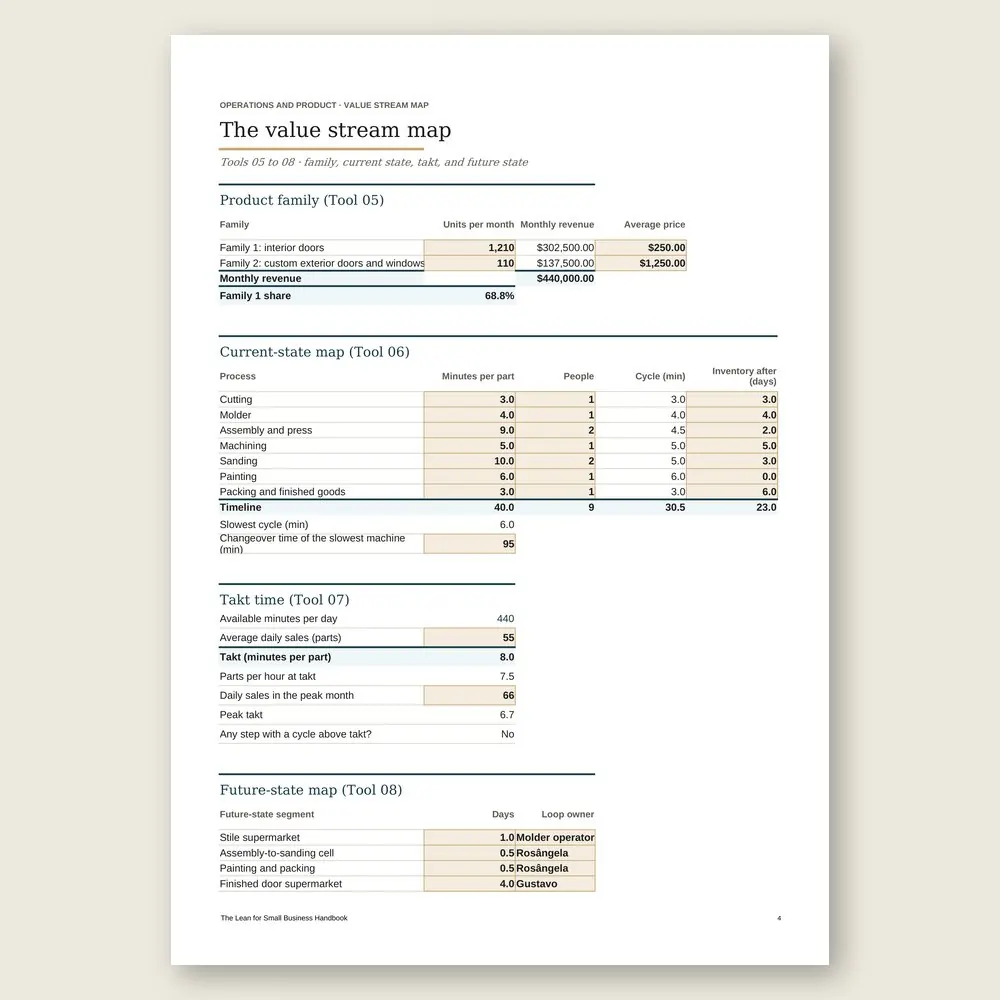
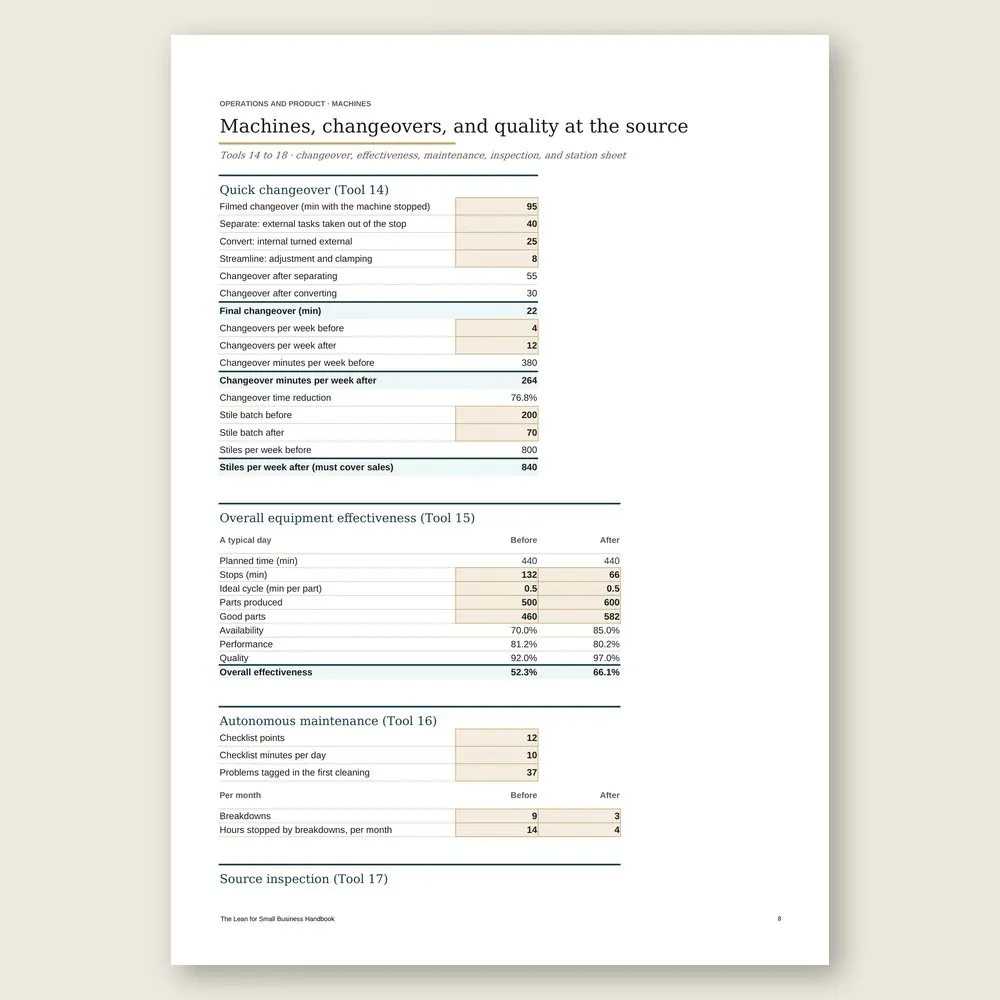
Value stream spreadsheet
Use the completed example as a reference and enter your business data in the marked fields. Check the instructions and the calculations before you make a decision.
SOUND FAMILIAR?
Three situations this handbook solves
You're about to hire two more people
Before you post the job, you pull five ordinary orders and run the order clock. You see how many days each one sat on a desk, in a stack, or waiting for a full load, and how few minutes anyone actually worked on it.
The customer's size is missing, again
The yard is full of finished goods and the best seller is out. You size a small supermarket for your standard items, print the cards, and start making only what has left the shelf.
The slow machine sets your batch size
You film the next changeover, from the last good part to the first. You move everything that can happen while the machine runs out of the stop, and write the changeover guide, with the power lockout built into it.
INSIDE
What you'll find in each tool
Five parts, in the order you'll use them. Seeing the waste: what the customer pays for, the eight wastes, and the order clock. The value stream map, current and future, with takt time. Flow and pull production: smaller batches, a work cell, and replenishment by card. Machines, changeovers, and quality at the source. Then keeping improvement going, with a place for every person the flow frees up.
WHAT YOU GET
Everything included in your purchase
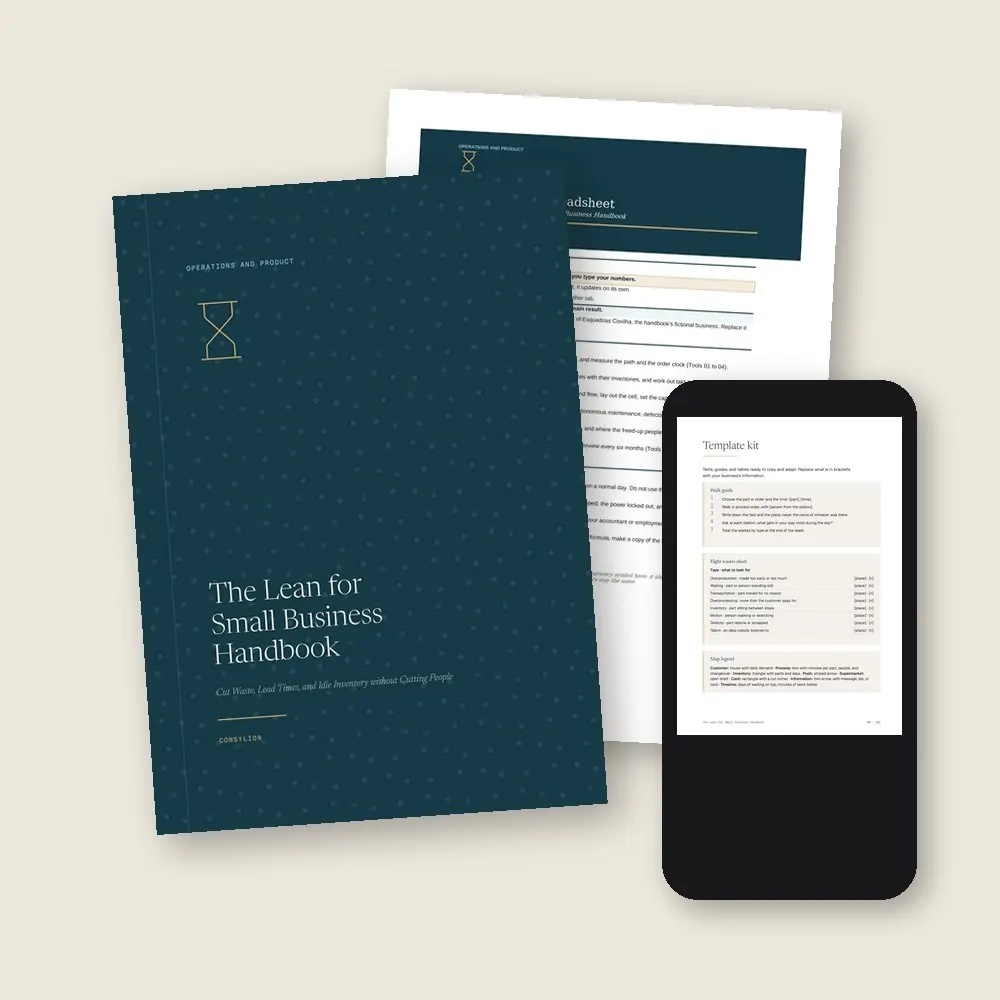
- The Lean for Small Business Handbook in PDF: 24 tools, each with a step by step, a worked example, and an exercise
- The value stream spreadsheet in Excel and Google Sheets, with 6 working tabs, filled in with the example company
- The Template kit: 12 ready-made guides and texts, including the walk guide, the replenishment card, the quick changeover guide, and a no-layoff commitment
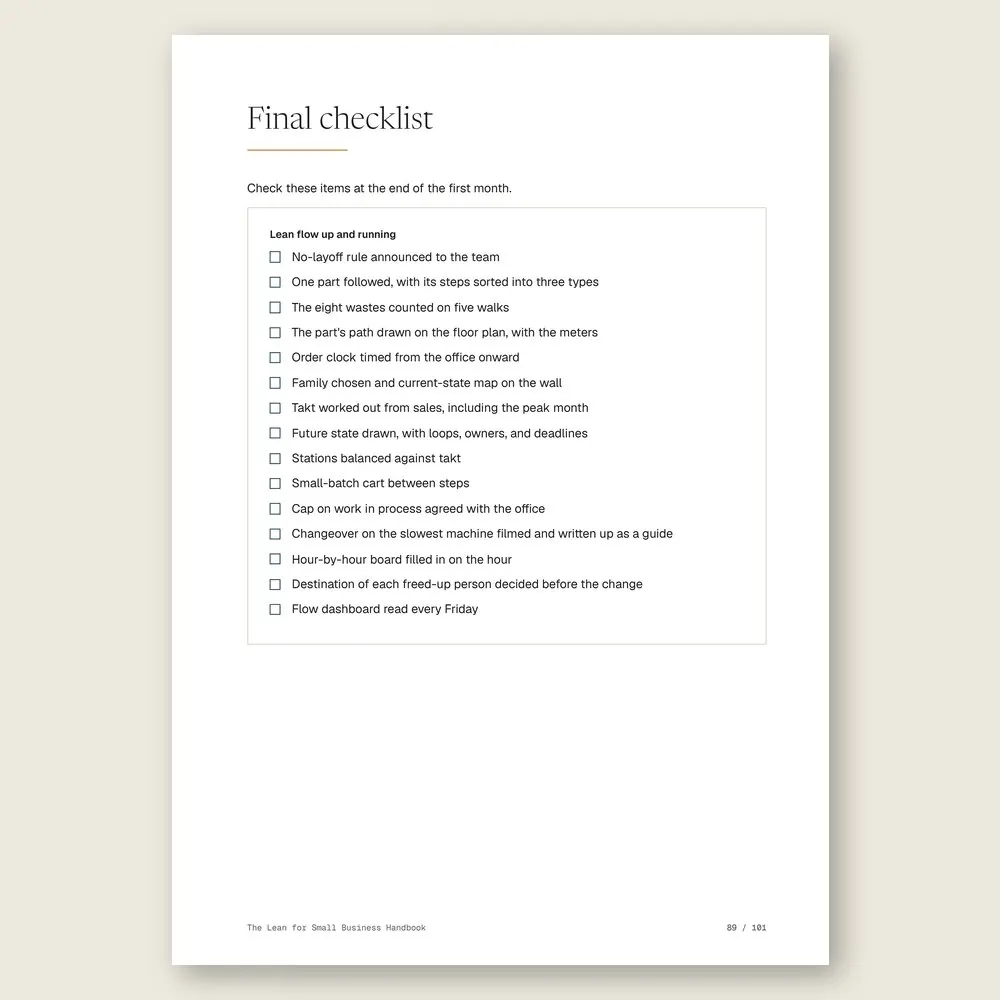
- 2 worksheets to fill in (map process and kaizen event), a final checklist, and a 30-day plan, one week per stage
- Access to your handbook on the Consylion platform
Full table of contents
The 24 tools, in the order you'll use them
Part 1 · Part 1 · Seeing the waste
- 01What the customer pays forSort every step into value, necessary, or waste, and see how few of them the customer pays for
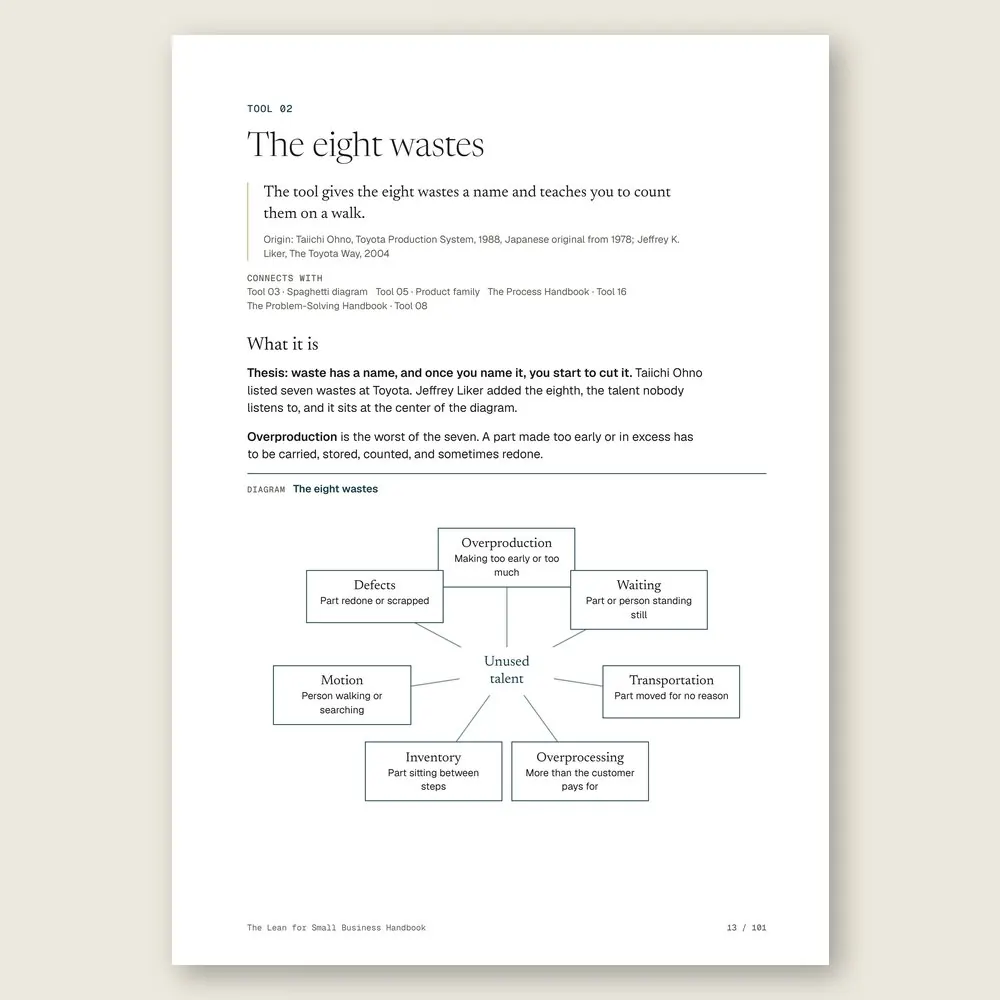
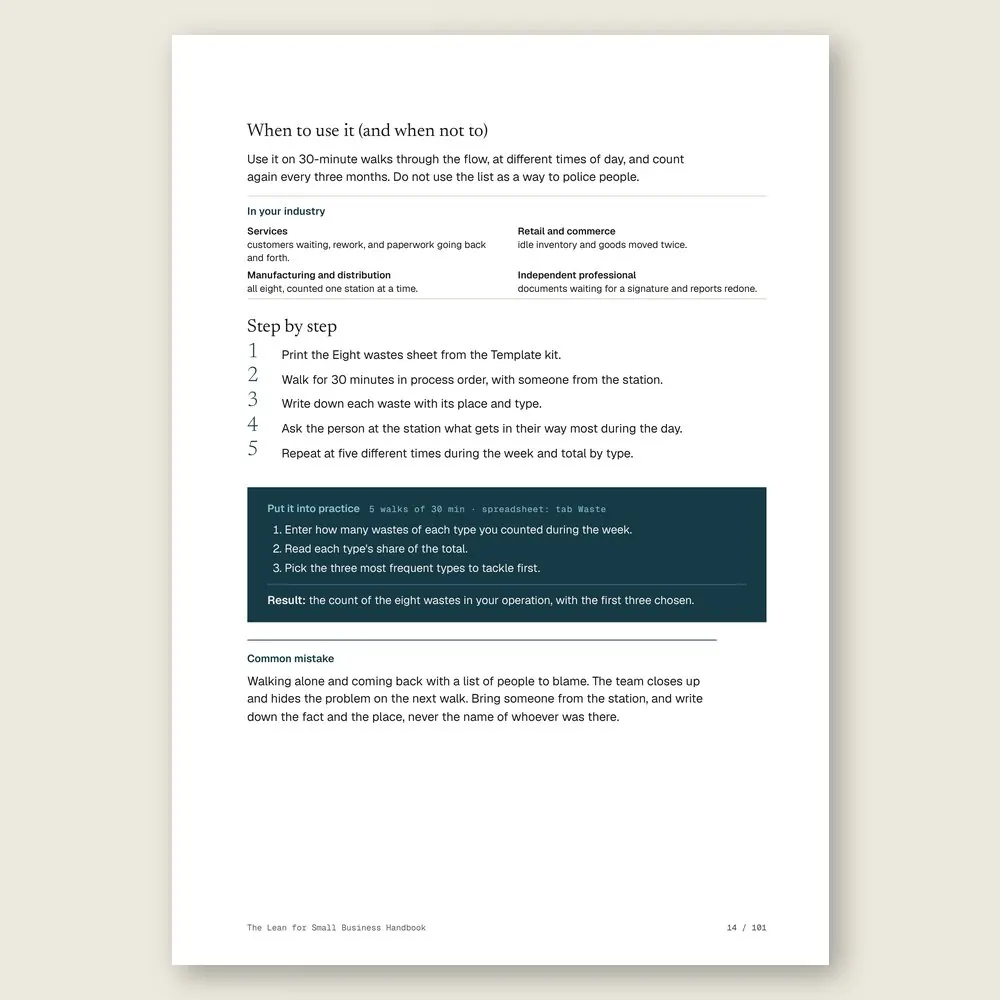
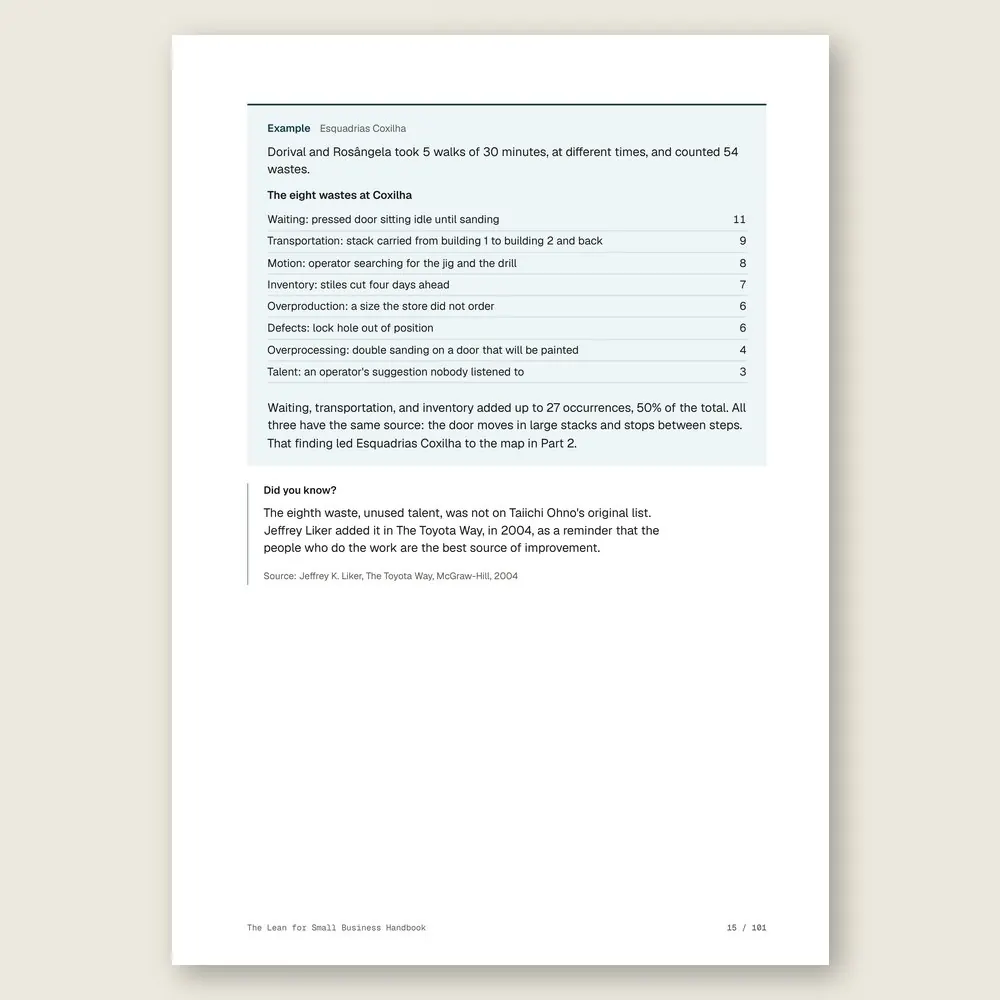
- 02The eight wastesWaiting, inventory, transportation, defects, and the other four, counted on short walks
- 03Spaghetti diagramDraw the path of the part and the people on the floor plan, in meters and stops
- 04The order clockHow many days the order waits and how many minutes someone actually works on it
Part 2 · Part 2 · The value stream map
- 05Product familyPick the line to map first, by the processes its products share
- 06Current-state mapFrom order to shipping on a single sheet, with inventories and times
- 07Takt timeThe pace at which your customer buys, in minutes per piece
- 08Future-state mapThe flow you want in six months, split into loops with an owner and a deadline
Part 3 · Part 3 · Flow and pull production
- 09Line balancingEach station's load against takt, and how many people the line really needs
- 10From batch to flowSmaller batches, so the part moves instead of waiting for the whole stack
- 11Work cellSteps side by side in a U, with the part passed from hand to hand
- 12Fewer open ordersCap work in process, and lead time drops with it
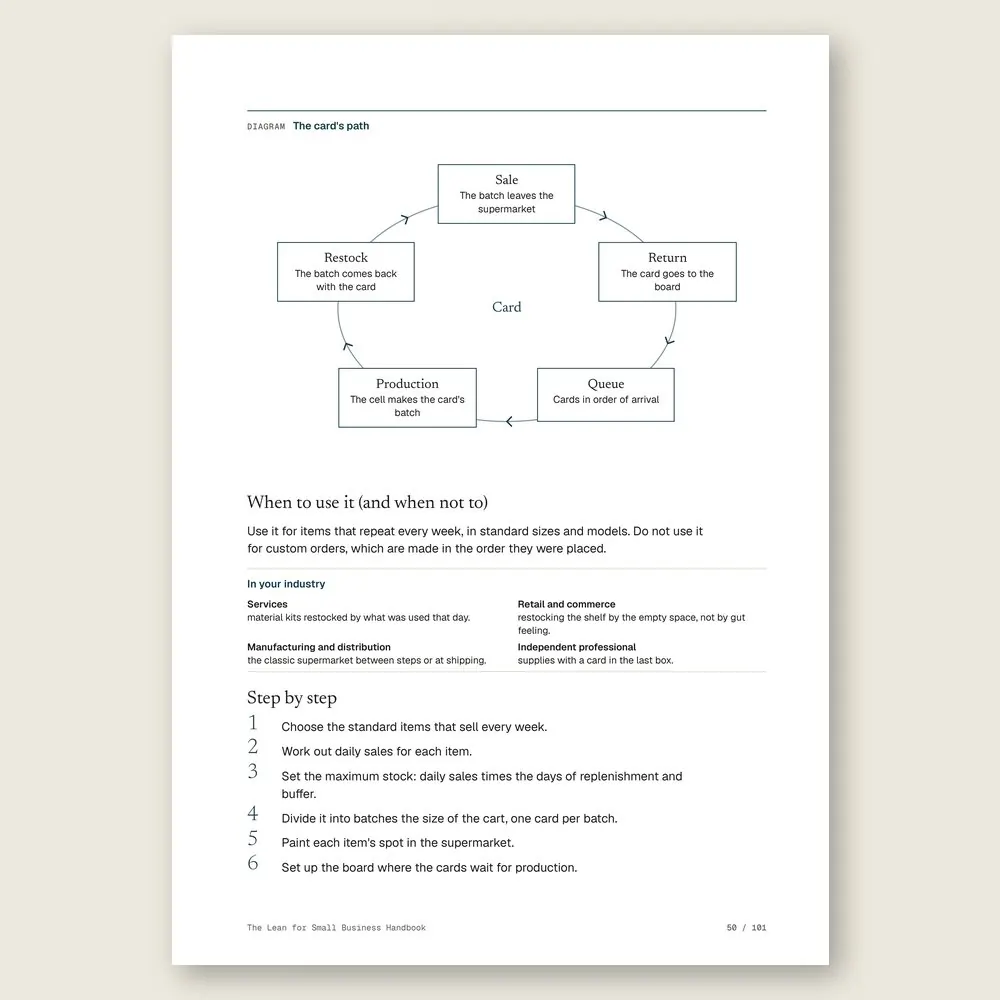
- 13Supermarket and replenishment cardMake only what has left the shelf, signaled by a card
Part 4 · Part 4 · Machines, changeovers, and quality at the source
- 14Quick changeoverTake an hour-and-a-half changeover down to minutes, and shrink the batch with it
- 15Overall equipment effectivenessHow much of the machine's time turns into good parts
- 16Autonomous maintenanceA ten-minute start-of-shift checklist, so the operator spots a breakdown coming
- 17Source inspectionCatch the defect at the station where it starts, not at the end of the line
- 18Standardized work to taktEach station's sequence, time, and parts in process, on one sheet
Part 5 · Part 5 · Keep improving without cutting people
- 19Hour-by-hour boardPlanned versus actual every hour, with the reason for each gap
- 20Five-day kaizen eventOne week, one station, and its team changing the work on the spot
- 21Lean in the officeQuotes, orders, and scheduling seen through the same lens as the shop floor
- 22Freed-up people become capacityWhere the people freed up by improvement go, with no layoffs
- 23The flow dashboardLead time, work in process, on-time delivery, OEE, and rework on one sheet
- 24Map review every six monthsThe future state becomes the current one, and the next map begins
Who it's for
It's for you if
- Your orders take weeks to ship while your team stays busy all day
- You have parts piled up between steps and still run short of the item the customer ordered
- You're about to hire or buy a machine because you think you're short on capacity
- You want to improve your operation without laying off the people who know the work
- You make products or deliver services in steps and want to see the whole flow on one sheet
It's not for you if
- You want to write the SOPs and checklists for each task. That's The Process Handbook
- You want Pareto, Ishikawa, 5S, and PDCA. See The Quality Tools Handbook
- You need to crack one chronic problem with an A3. See The Problem-Solving Handbook
- You want Lean as a polite way to cut staff. This handbook is built on the opposite rule
Frequently asked questions
Lean sounds like car factories. Does it work for a small business?
Yes. It works for any work done in steps, from a small plant to a service counter or an independent practice. Every tool has an In your industry box for services, retail and commerce, manufacturing and distribution, and independent professionals.
Everything I make is custom. Is this still for me?
Mostly, yes. The map, the order clock, smaller batches, and a cap on open orders all work for custom jobs. The work cell and the supermarket are for what repeats, and the handbook tells you where each one stops working.
Do I need a consultant or software to start?
No. A clipboard, a stopwatch, a pencil, and a large sheet of paper are enough for the first two parts. The included spreadsheet does the math once you have your numbers.
What if my team thinks this is about layoffs?
That's the first thing the handbook deals with. You announce a no-layoff rule before the first walk, and Tool 22 shows where freed-up people go. Role changes go in writing, and the handbook tells you to check them with your employment lawyer or accountant.
How long until I see a difference?
The first loop of the map usually takes one to three months. The 30-day plan gets the map on the wall and the first loop moving, and the order clock you measure at the start shows whether lead time came down.
How much reading is this?
About 2 hours and 24 minutes, or 6 minutes per tool, plus the exercises. The level is beginner to intermediate, and each exercise tells you how long it takes and which tab of the spreadsheet to use.
What do I get, and in what formats?
Each handbook is a PDF of about 100 pages with 24 to 27 tools. Every tool has step-by-step instructions and a worked example. You also get the handbook's spreadsheet in Excel (.xlsx), which opens in Google Sheets too, with the example already filled in. The message, policy, and clause templates are in the Template Kit inside the PDF, ready to copy and adapt. Read it in the member area or download the files.
How do I know if it fits my business?
Each handbook's page shows the problem it solves, who it is for and who it is not for, the full table of contents, sample pages, and the company used in the examples. The examples come from small businesses in several industries, with illustrative numbers. If it is not a fit, you can ask for a full refund within 14 days of your purchase, as described in the Refund Policy.
What is the difference between a handbook, an area set, and the Series?
A handbook solves one problem. An area set brings together every handbook and spreadsheet in one of the 6 areas, for less than the price of 5 single handbooks. The Consylion Handbook Series brings together all 100 handbooks and 100 spreadsheets, for less than the price of 8 single handbooks, and includes the next handbooks in the Series. Products outside the Series, from Consylion Life or Consylion Business, have their own price. They are sold separately and are not part of an area set or the Series.
Do I need to read everything before I start?
No. Each tool works on its own. Open the table of contents, pick the tool for today's problem, and start there. You can also read it cover to cover.
Do I need to know Excel?
The basics are enough: open the file and fill in the marked fields. The formulas are already built, and the handbook's example is filled in for reference.
How do I pay, and when do I get access?
By card or bank transfer, as a one-time payment with no subscription. Once your payment is confirmed, you get access to the member area by email. Approved card payments are confirmed right away. Bank transfers are confirmed when the funds clear. If access does not arrive within 24 hours of confirmation, check your spam folder and write to team@consylion.org.
How long do I have access, and how can I use the files?
Access does not expire, and you can download the files for offline use. The license is individual. You may read the handbooks, print them for your own use, and fill in and adapt the spreadsheet and templates with your company's data. If you are a consultant, accountant, or manager, you may apply the tools with your clients and deliver the result of your work, not the files. You may not share, resell, or distribute the files or the access.
How do support and refunds work?
Support is by email at team@consylion.org, on business days, with a reply within 5 business days. It covers questions about access, files, and payment. It does not include consulting or advice on applying the material to your case. You can cancel within 14 days of your purchase, without giving a reason, and get the full amount back through the payment method you used. Send the request to the same email. The details are in the Refund Policy.
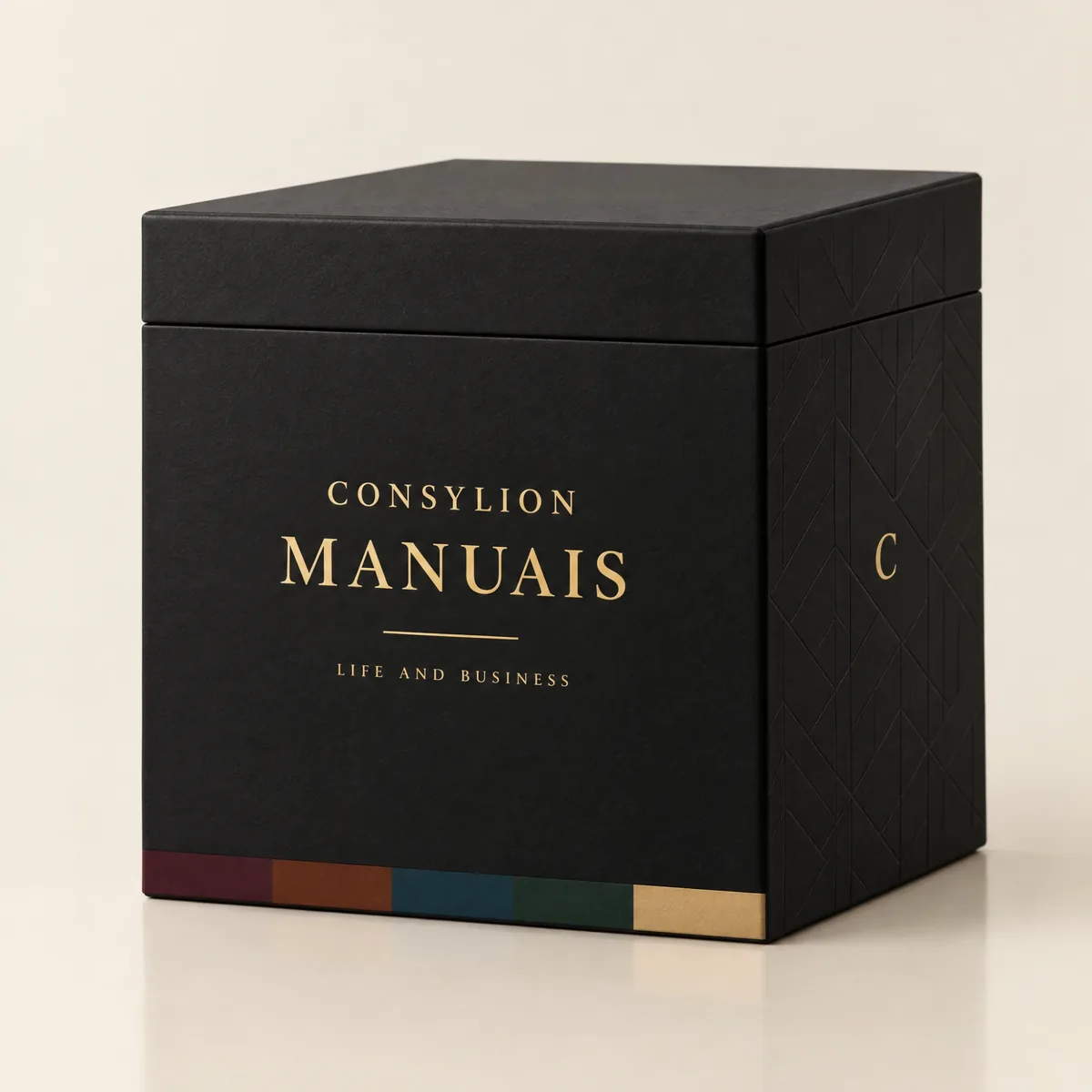
CONSYLION HANDBOOK SERIES
The 6 departments of your business, for less than the price of 8 single handbooks.
This handbook solves today's problem. The Series solves the next one, and the one after that, with nothing more to pay.
- 100 handbooks with 2,403 ready-made tools, to read on screen and download as PDFs
- 100 spreadsheets for Excel and Google Sheets
- 6 business areas
- Lifetime access, unlocked once payment is confirmed
One-time payment of $197.00. The order form shows the final amount, with any taxes for your country, before you pay.
Digital delivery: PDF handbook, spreadsheet and access on the Consylion platform.
14-day money-back guarantee: if it isn't what you expected, request a full refund within 14 days of purchase.
Your order is processed by Digistore24, our authorized reseller. By purchasing, you accept the terms of use and purchase · refund policy.
Operations and Product · Nº 85
Find out where the order waits before you hire
Most of the time, your order isn't being worked on. It's sitting still. This handbook gives you the tools, the spreadsheet, and a worked example to see the waiting, get the work moving, and put every freed-up person where you need more capacity, before you spend on another hire or another machine.
See all 100 handbooks · $197.00
One-time payment of $29.00. The order form shows the final amount, with any taxes for your country, before you pay.
Digital delivery: PDF handbook, spreadsheet and access on the Consylion platform.
14-day money-back guarantee: if it isn't what you expected, request a full refund within 14 days of purchase.
Your order is processed by Digistore24, our authorized reseller. By purchasing, you accept the terms of use and purchase · refund policy.