The Project Management Handbook
Operations and Product · Nº 16
The Project Management Handbook
From Kanban to Scrum for Small Business
Your list of improvements keeps growing. So why does nothing on it ever get finished?
24 tools, a spreadsheet that keeps score, and one example project worked from first idea to closing, so you can pick fewer projects, plan each one on a page, and see every week where it stands.
You get 24 tools to choose which project comes first, plan it on one page, run it with a Kanban board and two-week cycles, and close it with a sign-off and lessons learned. Plus 12 templates and a spreadsheet with 8 working tabs, filled in with the example.
A book explains the method. This handbook puts it to work: the tool, a worked example, and a spreadsheet with your numbers.
One-time payment of $29.00. The order form shows the final amount, with any taxes for your country, before you pay.
Digital delivery: PDF handbook, spreadsheet and access on the Consylion platform.
14-day money-back guarantee: if it isn't what you expected, request a full refund within 14 days of purchase.
Your order is processed by Digistore24, our authorized reseller. By purchasing, you accept the terms of use and purchase · refund policy.
The online store is a login with nothing uploaded. The new printer is three quotes in a drawer. The website is stuck at the agency. Five projects are "in progress," none has an owner or a date, and every time a customer walks in, the daily routine wins. Whatever does get finished shows up late and costs more than the number you had in your head.
THE SPREADSHEET
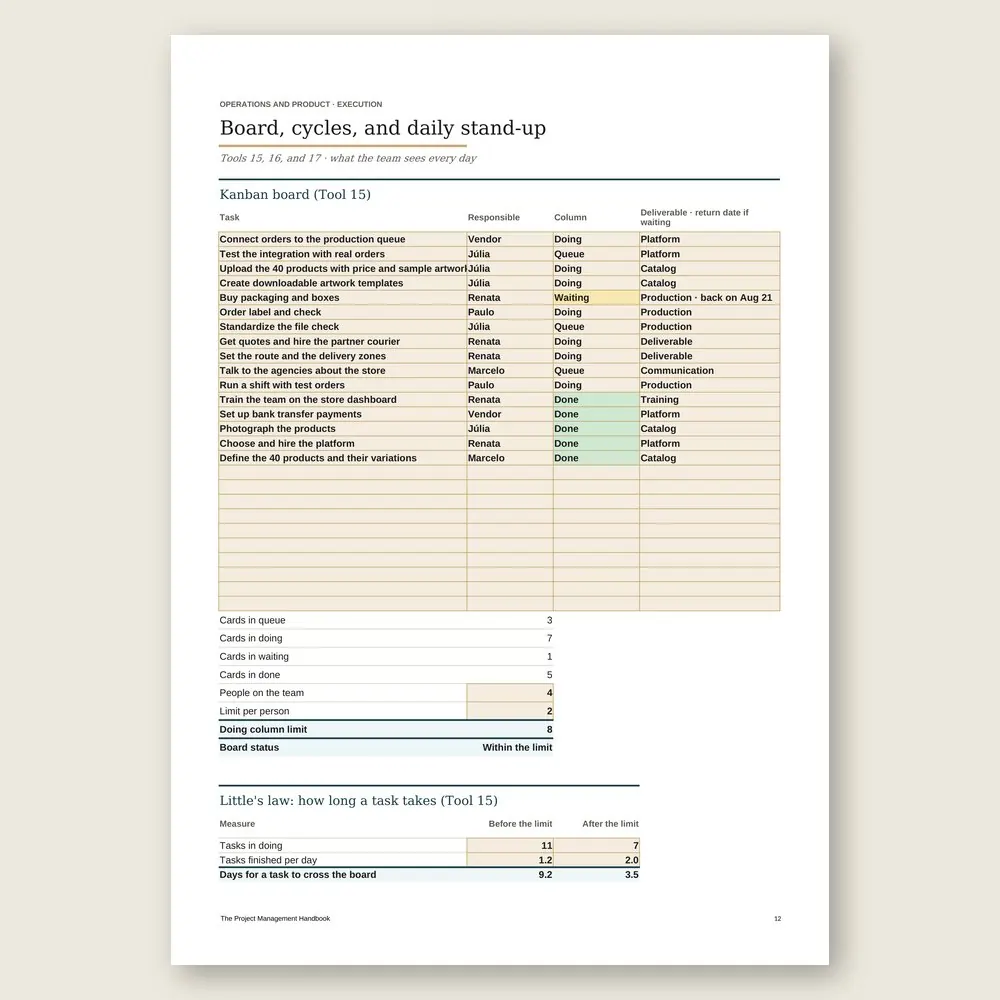
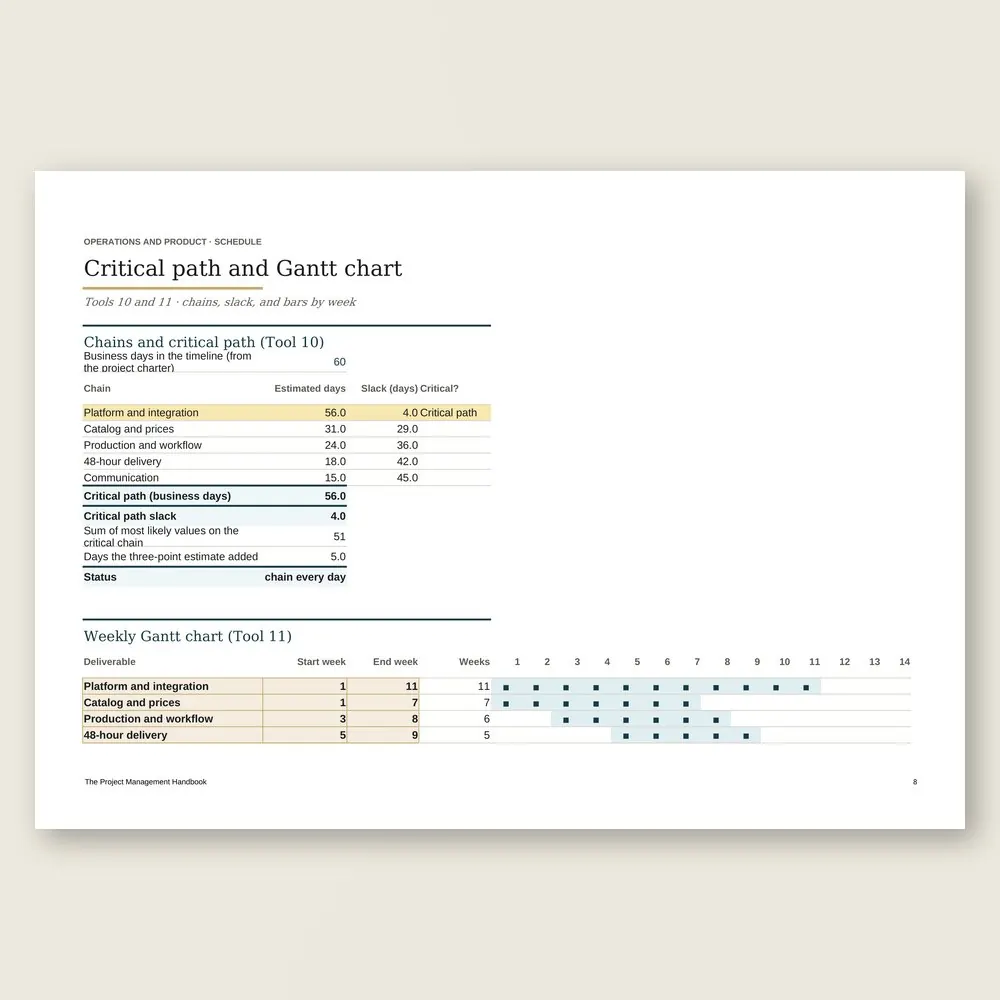
Project management spreadsheet
Use the completed example as a reference and enter your business data in the marked fields. Check the instructions and the calculations before you make a decision.
SOUND FAMILIAR?
Three situations this handbook solves
Someone wants to start something "because it's quick"
You open the portfolio. Two projects are already in progress, so there's no open slot. The new idea goes into the queue with a one-line description and waits its turn, instead of quietly stealing hours from the two that are moving.
Friday afternoon, the report is due
You update planned against actual in the spreadsheet, mark schedule, cost, and scope green, yellow, or red, and send the sponsor one page with one yes-or-no decision. If the project is slipping, it shows up in the report while there's still time to decide.
A customer asks for one more thing mid-project
Instead of saying yes in the hallway, you fill in a change request: what it costs in days on the critical path, in money, and in tasks. The sponsor approves it, moves it to phase 2, or turns it down, and the board stays honest.
INSIDE
What you'll find in each tool
Five parts, in the order a project runs. Choose: separate projects from routine work and cap how many run at once. Plan: the goal, the definition of done, and a small first release. Estimate time, cost, and risk. Execute with a board, two-week cycles, and a 15-minute stand-up. Then control changes, get the sign-off, and close with lessons learned.
WHAT YOU GET
Everything included in your purchase
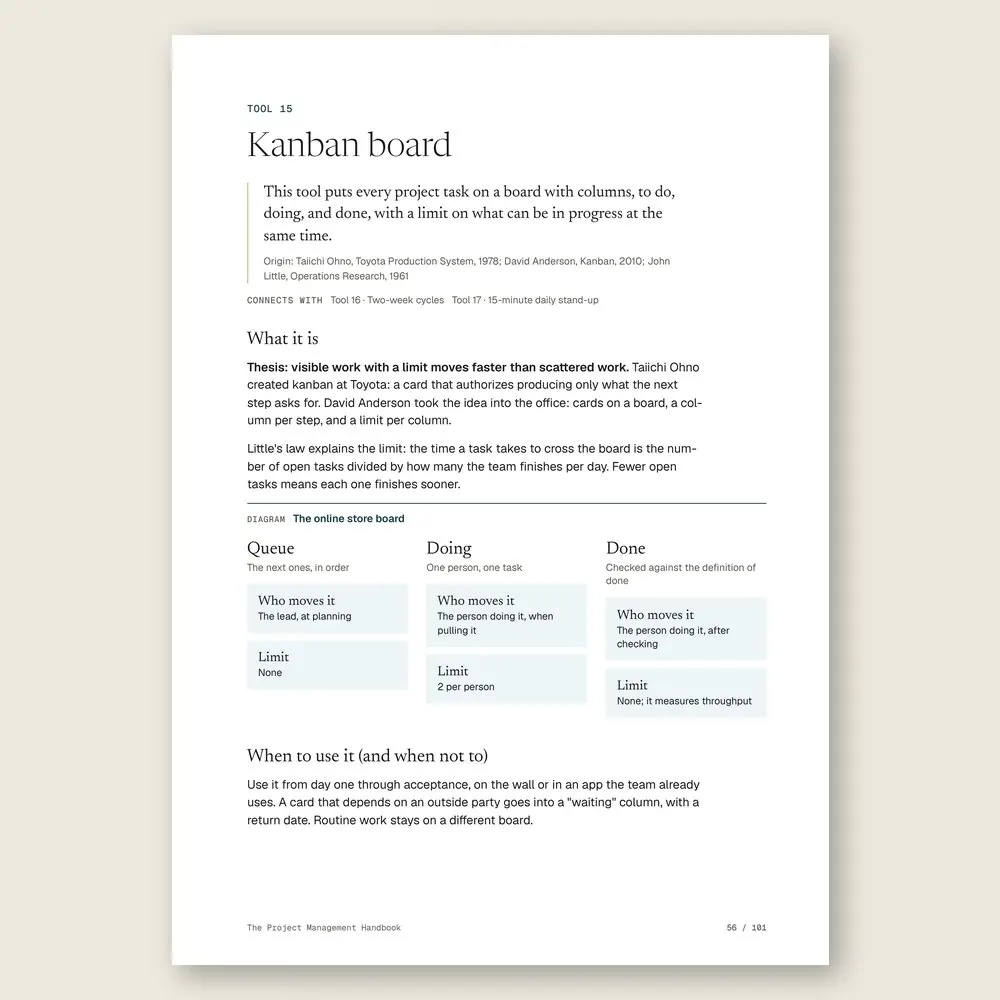
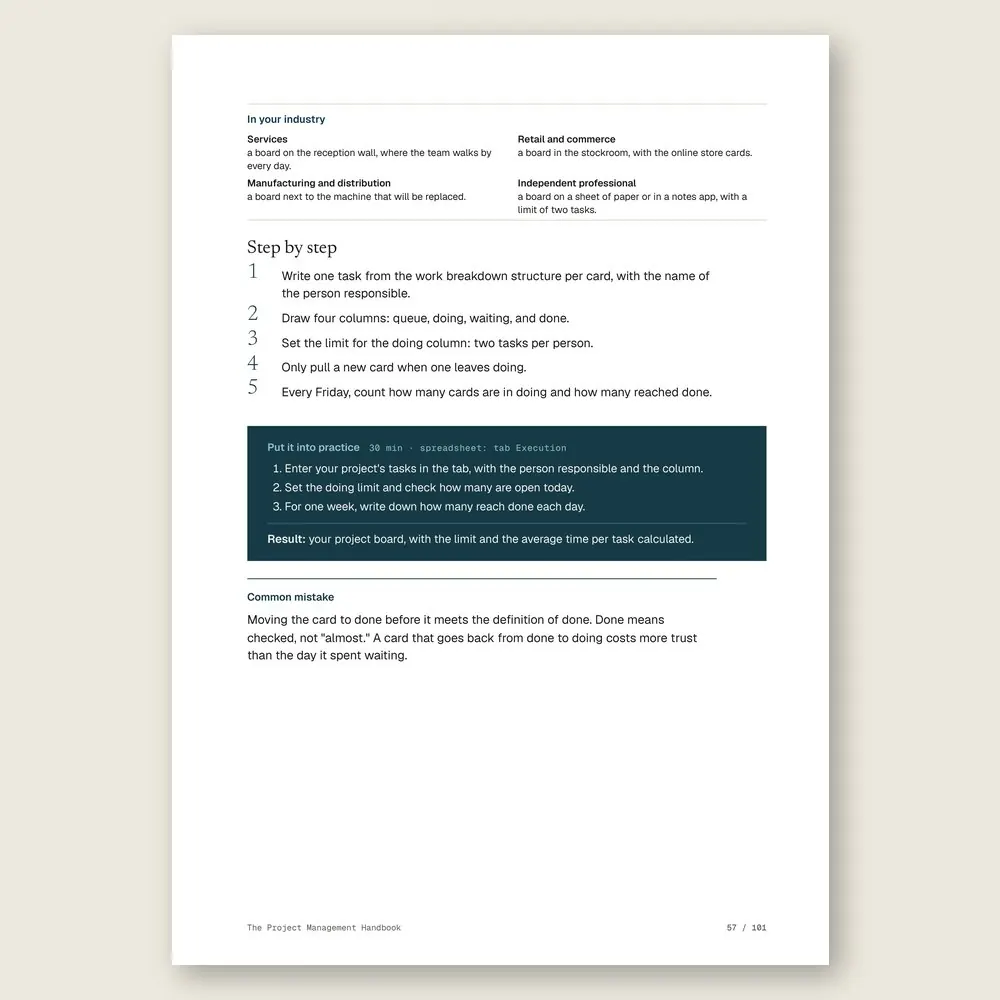
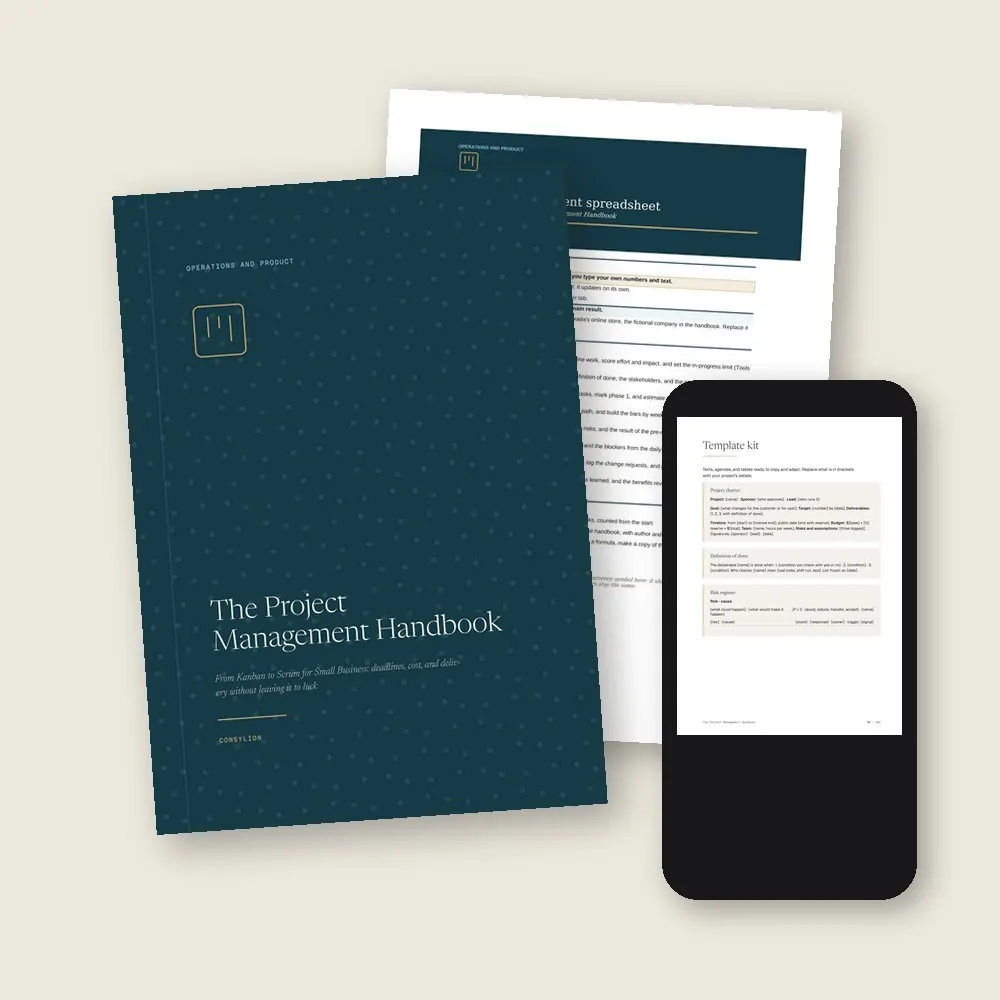
- The Project Management Handbook in PDF: 24 tools, each with a step by step, a worked example, and a Put it into practice exercise
- The project management spreadsheet in Excel and Google Sheets, with 8 working tabs from Portfolio to Closure, filled in with the example company
- The Template kit: 12 ready-made templates, from the project charter and the pre-mortem agenda to the daily stand-up script and the closure record
- 2 worksheets to fill in (project charter and weekly report) and a 30-day plan, one week per stage
- Access to your handbook on the Consylion platform
Full table of contents
The 24 tools, in the order you'll use them
Part 1 · Part 1 · Project or routine: what to do first
- 01Project or routineTell work that ends apart from work that repeats, and stop treating chronic problems as projects
- 02Project portfolioEvery idea on one list, with no more than two projects in progress at a time
- 03Effort × impact matrixDecide which project goes first and which waits in the queue
- 04One-page project charterGoal, deadline, budget, and owner, agreed and signed before anyone starts
Part 2 · Part 2 · Plan before you start
- 05Goal and definition of doneWrite down what the project delivers and how everyone will know it's finished
- 06StakeholdersMap who decides, who does the work, and who can stall your project
- 07First working releaseA small version that works in four weeks, so you test before you build the rest
- 08Work breakdown structureFrom the project to deliverables, and from deliverables to tasks of two days or less
Part 3 · Part 3 · Time, cost, and risk
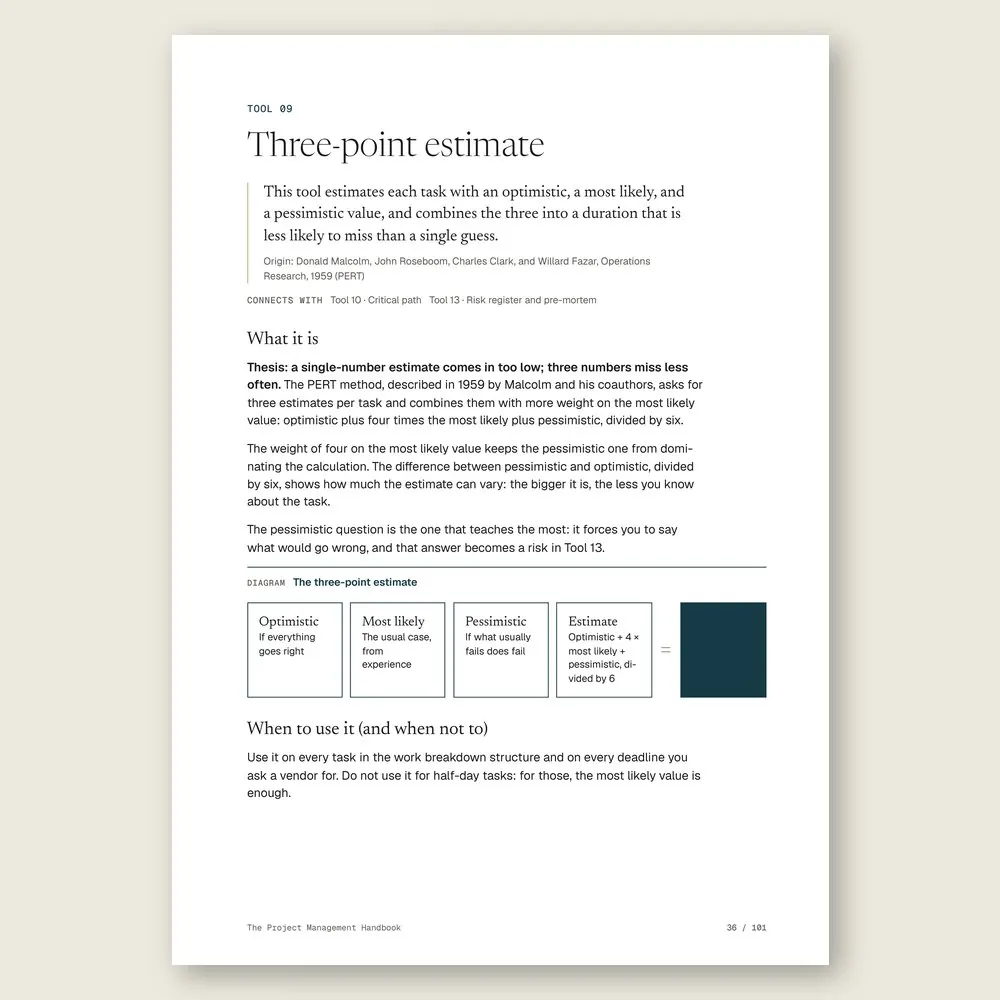
- 09Three-point estimateOptimistic, most likely, and pessimistic, for an estimate that misses less often
- 10Critical pathFind the chain of tasks that really sets your delivery date
- 11Weekly Gantt chartOne bar per deliverable, one column per week, three milestones, on the wall
- 12Budget with contingencyWhat each deliverable costs and how much to set aside for the unexpected
- 13Risk register and pre-mortemList what can go wrong, with probability, impact, and a response, before it happens
Part 4 · Part 4 · Execute with your team
- 14Roles and responsibilitiesOne responsible person per deliverable, so nothing stalls on "I thought you were doing it"
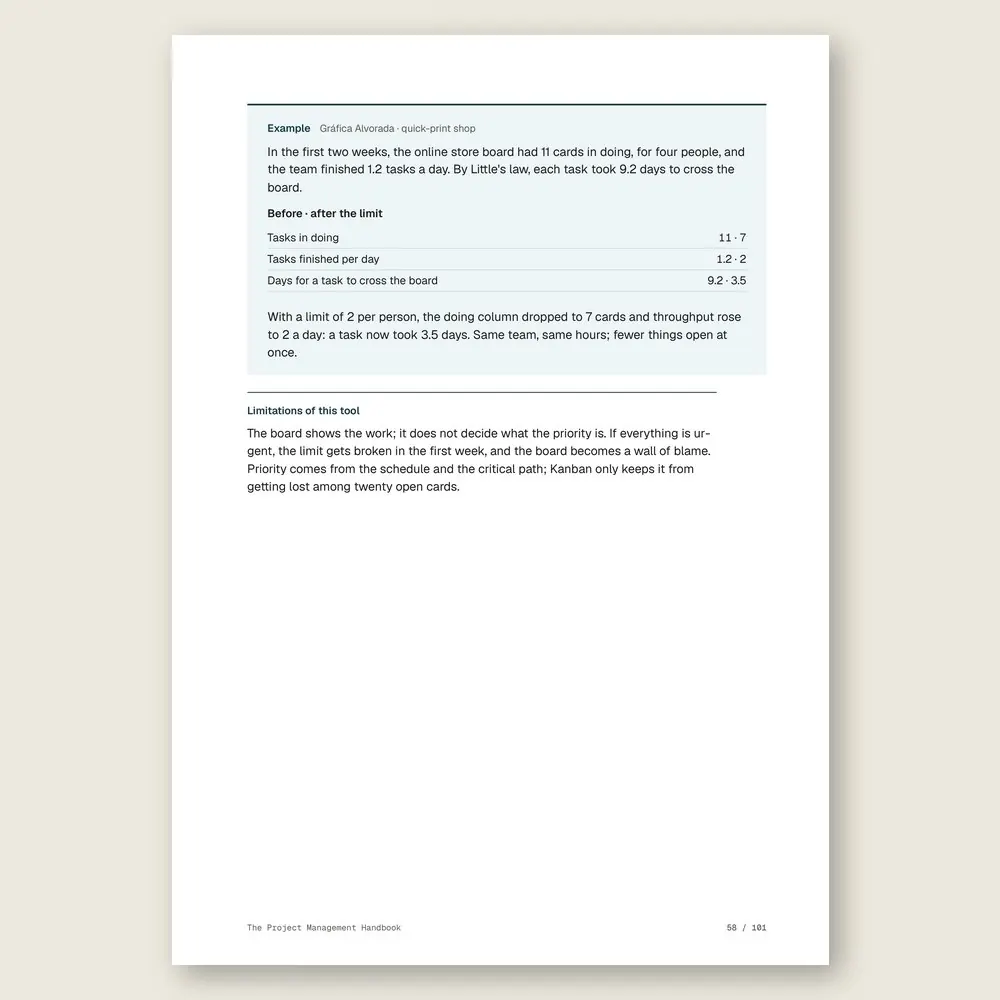
- 15Kanban boardTo do, doing, and done, with a limit on work in progress
- 16Two-week cyclesPlan, do, and show what's done every ten business days
- 1715-minute daily stand-upThree questions, standing, in front of the board
- 18One-page status reportGreen, yellow, or red for the project sponsor, every Friday
Part 5 · Part 5 · Control, change, and close
- 19Scope change controlA new request comes in with its cost, time, and approval, or it waits
- 20Planned × actualWhat should be done by now, what is done, and how much has been spent
- 21Acceptance sign-offThe requester checks the definition of done, item by item, and signs
- 22RetrospectiveWhat to keep, what to change, and what to stop in the next cycle
- 23Project closure and lessons learnedClose the books, hand the result over to daily operations, and record what you learned
- 24Owner's project dashboardOne page a month with your whole portfolio
Who it's for
It's for you if
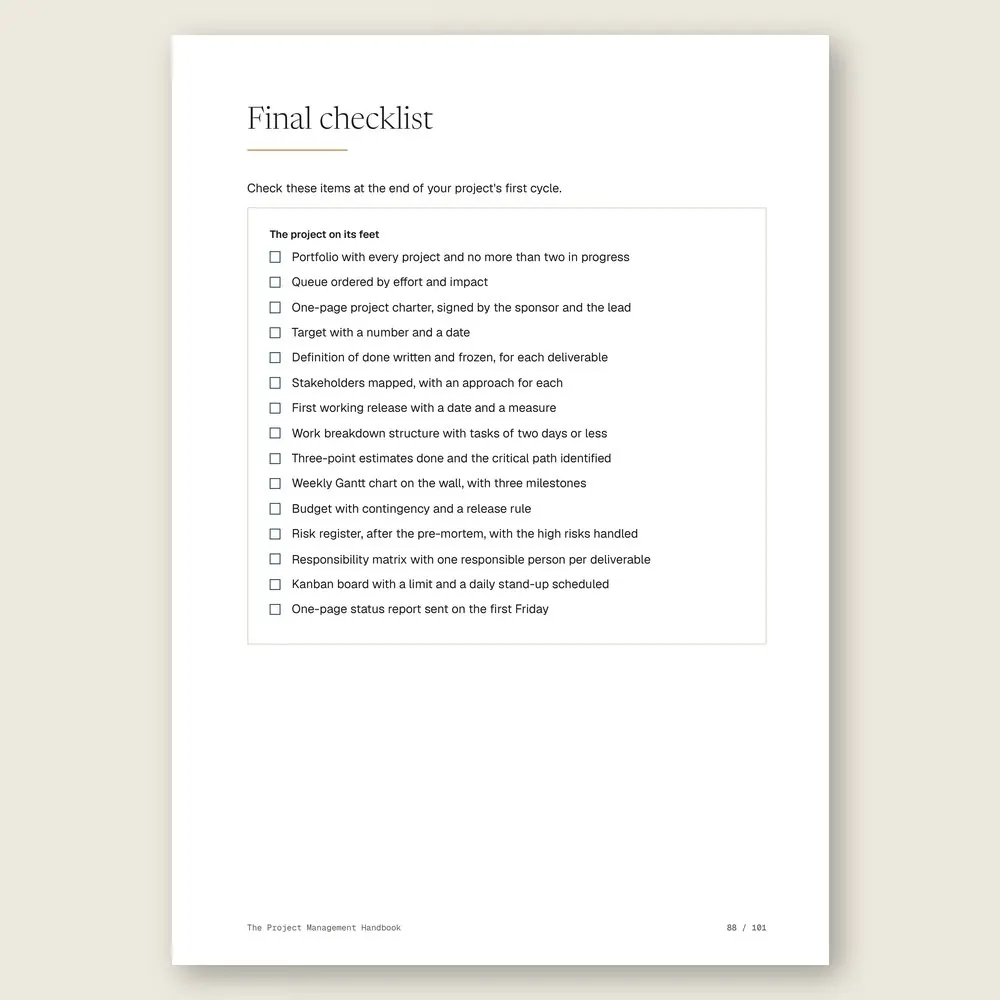
- You have a list of improvements (a second location, a new system, an online store) that never gets off the ground
- You're about to open a location, launch a service, replace a system, or roll out a change without stopping daily operations
- You've started several projects at once, and your team has no hours left for any of them
- You think Kanban and Scrum are for software companies and want to see them work on a wall board in a small business
It's not for you if
- You want to turn your daily operations into written procedures. That's The Process Handbook
- You need to set the company's direction and the year's plan first. Start with The Strategy and Planning Handbook
- You're after a certification or want to learn a project management app. This method runs on a wall board and a spreadsheet
- You want every deadline to be a sure thing. The handbook gives you method and measurement, not promises about dates
Frequently asked questions
My business has three people. Isn't this overkill?
It works with less paperwork. A portfolio, a one-page project charter, a board with a limit, and a short daily meeting fit a team of three. The one-page report can be a Friday message to yourself.
Do I need project management software?
No. A board on the wall, some cards, and the included spreadsheet are enough for a twelve-week project. If your team already uses a task app, set up the board there, with the same columns and the same limit.
Aren't Kanban and Scrum just for software companies?
They came out of Toyota and software teams, but the ideas are simple: visible work with a limit, and short cycles with a delivery someone checks. The handbook applies them to a renovation, an online store, or replacing a machine.
I'm the owner. Am I the sponsor or the project lead?
You're the sponsor: you approve the charter, the budget, and the changes. The lead runs the board and the report, ideally someone else. If it has to be you too, keep the two roles in separate slots on your calendar.
What if the project still runs late?
Sometimes it will. In the example, the project closed one week past its internal deadline, still inside its two weeks of schedule reserve. The method doesn't make delays disappear. It makes them visible sooner: the example's slip showed up in the week 8 report, not in week 12, with a decision already on the table.
How much time does this take?
About 2 hours and 24 minutes of reading, or 6 minutes per tool, plus the exercises. The 30-day plan takes one project from paper to the board in four weeks: choose, plan, estimate, then set up the board and run the first cycle.
What do I get, and in what formats?
Each handbook is a PDF of about 100 pages with 24 to 27 tools. Every tool has step-by-step instructions and a worked example. You also get the handbook's spreadsheet in Excel (.xlsx), which opens in Google Sheets too, with the example already filled in. The message, policy, and clause templates are in the Template Kit inside the PDF, ready to copy and adapt. Read it in the member area or download the files.
How do I know if it fits my business?
Each handbook's page shows the problem it solves, who it is for and who it is not for, the full table of contents, sample pages, and the company used in the examples. The examples come from small businesses in several industries, with illustrative numbers. If it is not a fit, you can ask for a full refund within 14 days of your purchase, as described in the Refund Policy.
What is the difference between a handbook, an area set, and the Series?
A handbook solves one problem. An area set brings together every handbook and spreadsheet in one of the 6 areas, for less than the price of 5 single handbooks. The Consylion Handbook Series brings together all 100 handbooks and 100 spreadsheets, for less than the price of 8 single handbooks, and includes the next handbooks in the Series. Products outside the Series, from Consylion Life or Consylion Business, have their own price. They are sold separately and are not part of an area set or the Series.
Do I need to read everything before I start?
No. Each tool works on its own. Open the table of contents, pick the tool for today's problem, and start there. You can also read it cover to cover.
Do I need to know Excel?
The basics are enough: open the file and fill in the marked fields. The formulas are already built, and the handbook's example is filled in for reference.
How do I pay, and when do I get access?
By card or bank transfer, as a one-time payment with no subscription. Once your payment is confirmed, you get access to the member area by email. Approved card payments are confirmed right away. Bank transfers are confirmed when the funds clear. If access does not arrive within 24 hours of confirmation, check your spam folder and write to team@consylion.org.
How long do I have access, and how can I use the files?
Access does not expire, and you can download the files for offline use. The license is individual. You may read the handbooks, print them for your own use, and fill in and adapt the spreadsheet and templates with your company's data. If you are a consultant, accountant, or manager, you may apply the tools with your clients and deliver the result of your work, not the files. You may not share, resell, or distribute the files or the access.
How do support and refunds work?
Support is by email at team@consylion.org, on business days, with a reply within 5 business days. It covers questions about access, files, and payment. It does not include consulting or advice on applying the material to your case. You can cancel within 14 days of your purchase, without giving a reason, and get the full amount back through the payment method you used. Send the request to the same email. The details are in the Refund Policy.
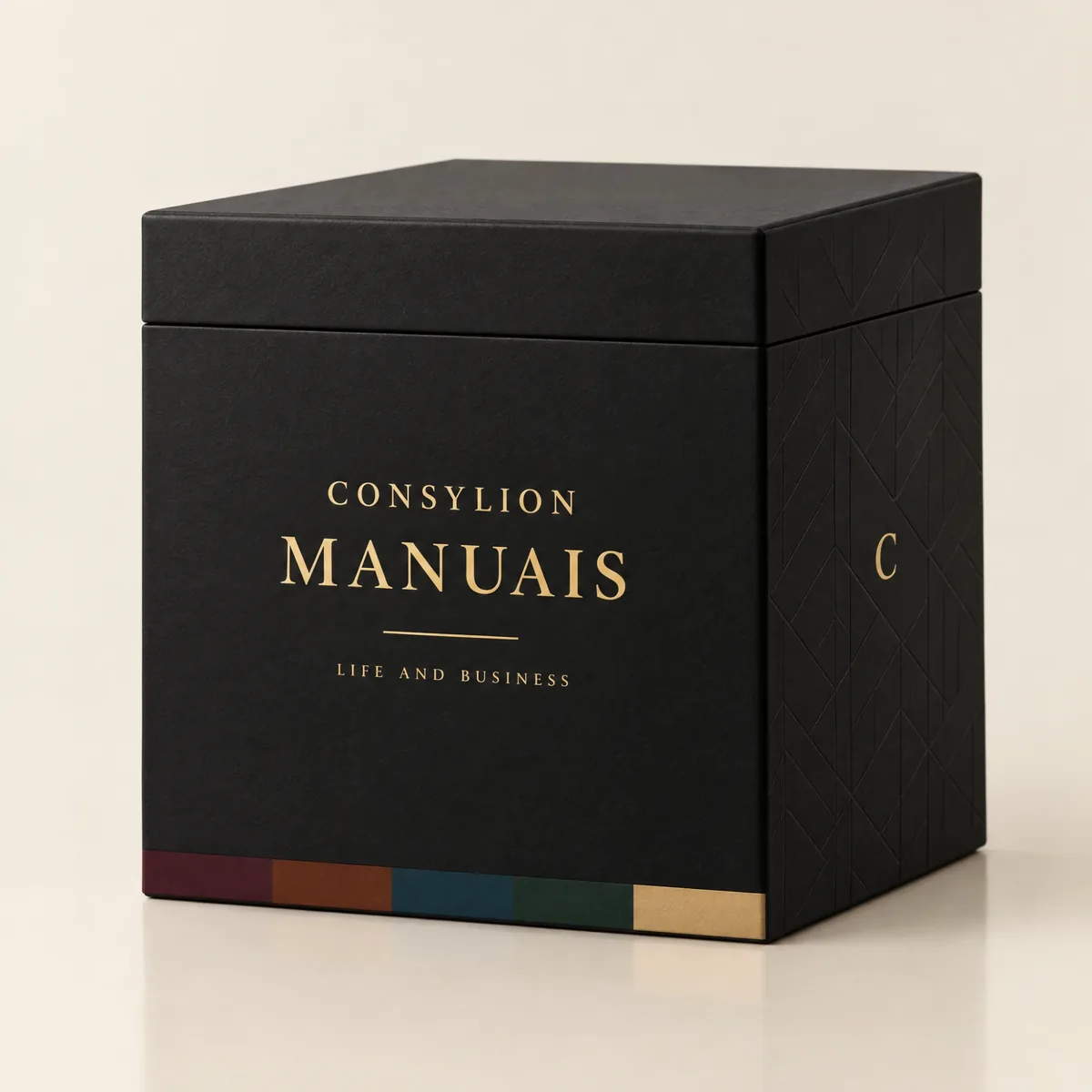
CONSYLION HANDBOOK SERIES
The 6 departments of your business, for less than the price of 8 single handbooks.
This handbook solves today's problem. The Series solves the next one, and the one after that, with nothing more to pay.
- 100 handbooks with 2,403 ready-made tools, to read on screen and download as PDFs
- 100 spreadsheets for Excel and Google Sheets
- 6 business areas
- Lifetime access, unlocked once payment is confirmed
One-time payment of $197.00. The order form shows the final amount, with any taxes for your country, before you pay.
Digital delivery: PDF handbook, spreadsheet and access on the Consylion platform.
14-day money-back guarantee: if it isn't what you expected, request a full refund within 14 days of purchase.
Your order is processed by Digistore24, our authorized reseller. By purchasing, you accept the terms of use and purchase · refund policy.
Operations and Product · Nº 16
Finish what you start
Your list of improvements isn't the problem. Running all of it at once, with no owner and no date, is. This handbook gives you the tools, the spreadsheet, and one project worked from start to finish, so you can pick a project, put it on a board, and close it before you open the next.
See all 100 handbooks · $197.00
One-time payment of $29.00. The order form shows the final amount, with any taxes for your country, before you pay.
Digital delivery: PDF handbook, spreadsheet and access on the Consylion platform.
14-day money-back guarantee: if it isn't what you expected, request a full refund within 14 days of purchase.
Your order is processed by Digistore24, our authorized reseller. By purchasing, you accept the terms of use and purchase · refund policy.