The Purchasing and Inventory Handbook
Operations and Product · Nº 58
The Purchasing and Inventory Handbook
Buy Right, Turn Your Inventory, and Negotiate with Suppliers, without Tying Up Cash on the Shelf
Your shelves are full. So why is the one thing the customer wants always out?
24 tools to see what's sitting on your shelves, buy each item at its reorder point, check every delivery, and move dead stock, with a spreadsheet and one store worked through for six months.
You get 24 tools to take an inventory snapshot, score suppliers, compare quotes by shelf cost, set safety stock and reorder points, check deliveries, count a little every week, and move dead stock. Plus a 6-tab spreadsheet and 13 templates.
A book explains the method. This handbook puts it to work: the tool, a worked example, and a spreadsheet with your numbers.
One-time payment of $29.00. The order form shows the final amount, with any taxes for your country, before you pay.
Digital delivery: PDF handbook, spreadsheet and access on the Consylion platform.
14-day money-back guarantee: if it isn't what you expected, request a full refund within 14 days of purchase.
Your order is processed by Digistore24, our authorized reseller. By purchasing, you accept the terms of use and purchase · refund policy.
A mechanic calls for a part, and you sold the last one yesterday. Meanwhile, three boxes of something that hasn't sold in over a year sit on the top shelf, paid for. The sales rep stops by with a deal, and you say yes because you can't remember what's in back. The supplier's invoice comes due before the goods sell. And when someone asks how much money is on your shelves, the honest answer is "a lot, probably."
THE SPREADSHEET
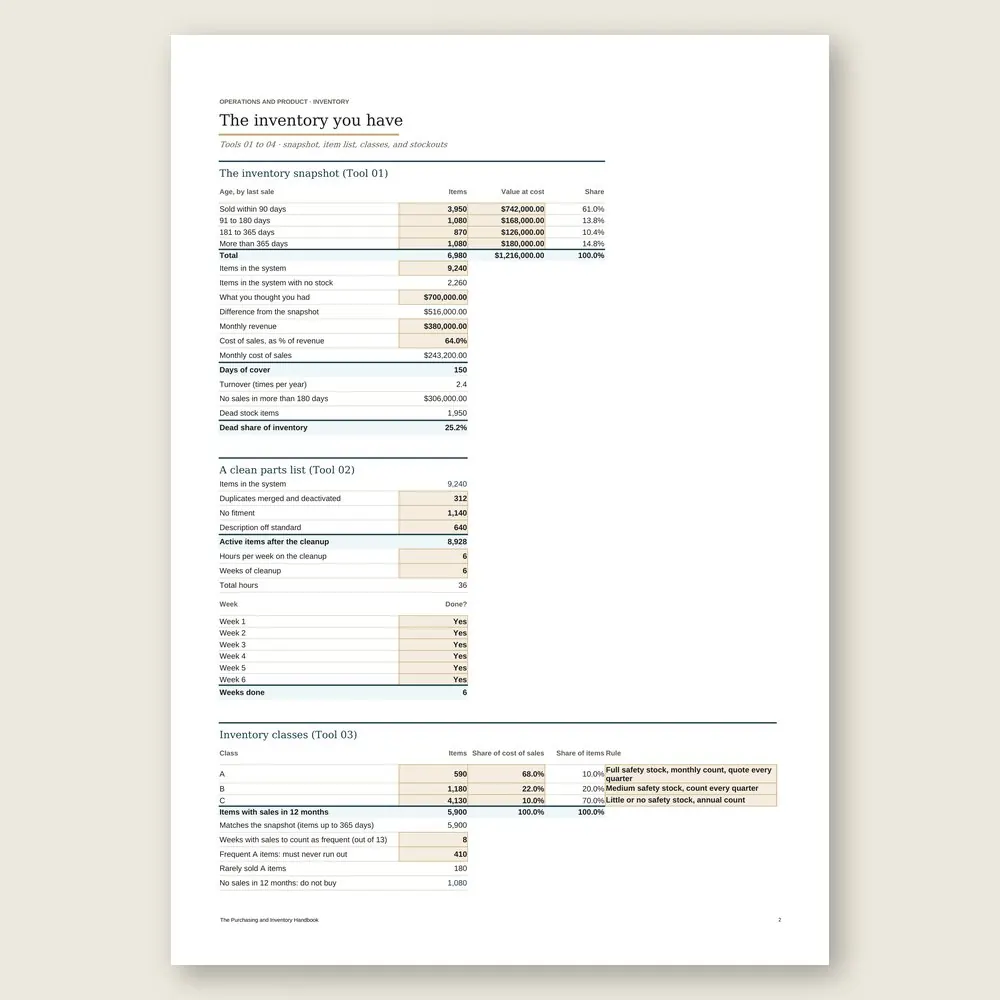
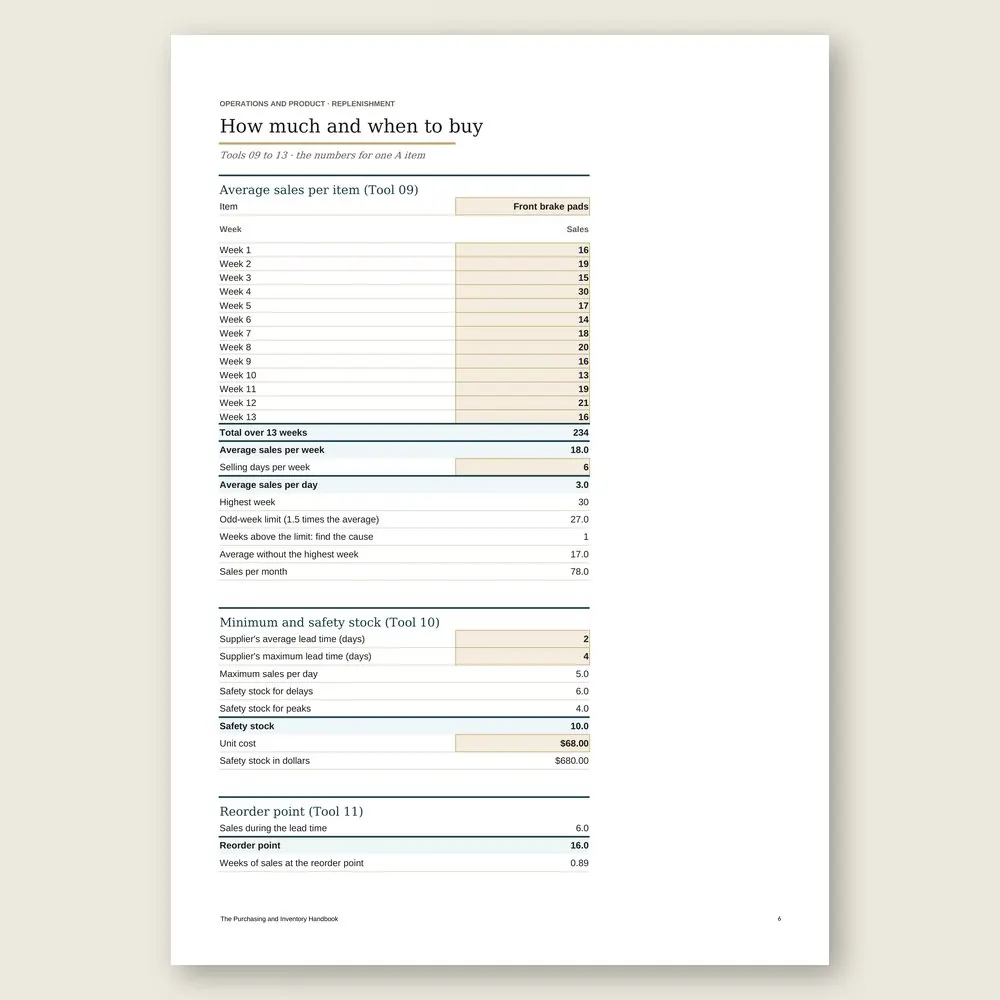
Purchasing and inventory spreadsheet
Use the completed example as a reference and enter your business data in the marked fields. Check the instructions and the calculations before you make a decision.
SOUND FAMILIAR?
Three situations this handbook solves
The sales rep is coming Thursday
You open the meeting agenda and the supplier scorecard. You walk in knowing their on-time record, what you buy from them, and what to ask for besides price: terms, freight, and a swap for the boxes that don't move.
The truck just pulled up
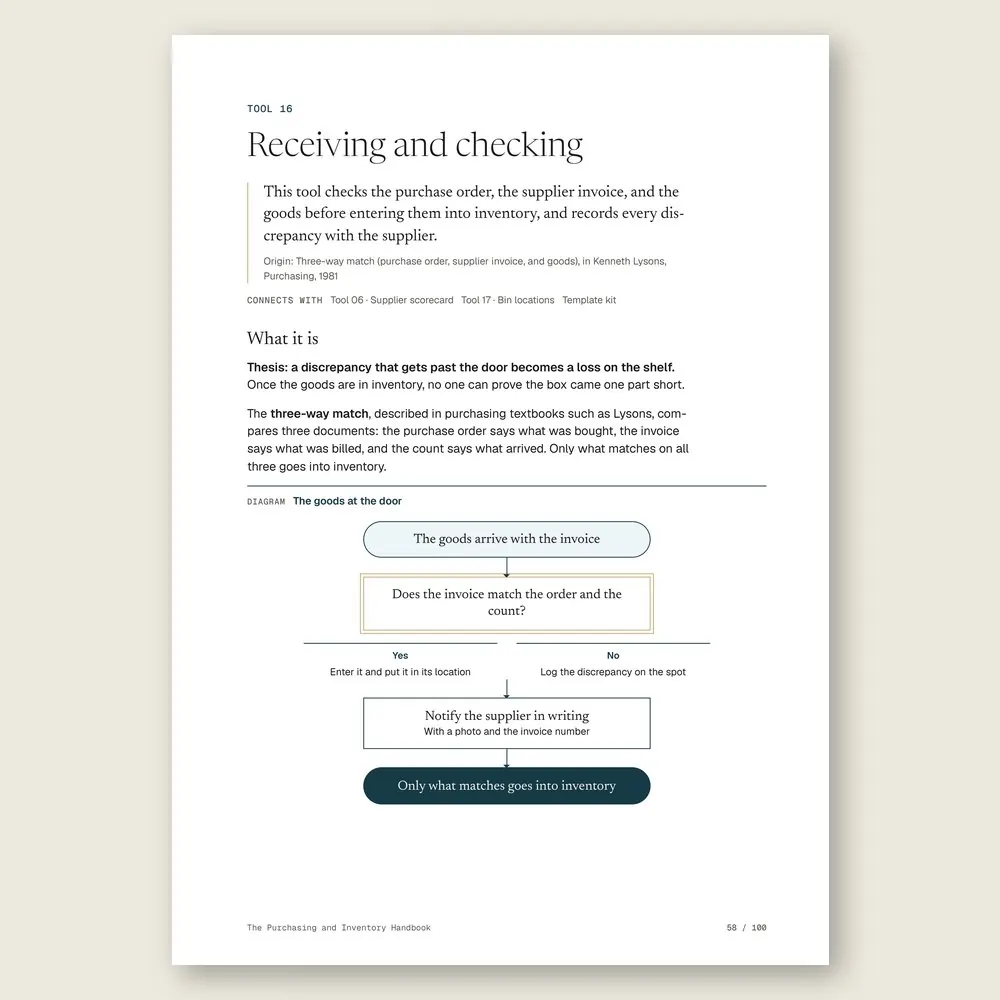
Before anything goes on a shelf, the invoice, the purchase order, and the boxes get matched, line by line. The two missing items and the wrong part get written up on the spot, with the discrepancy notice ready for the supplier.
The same item ran out again
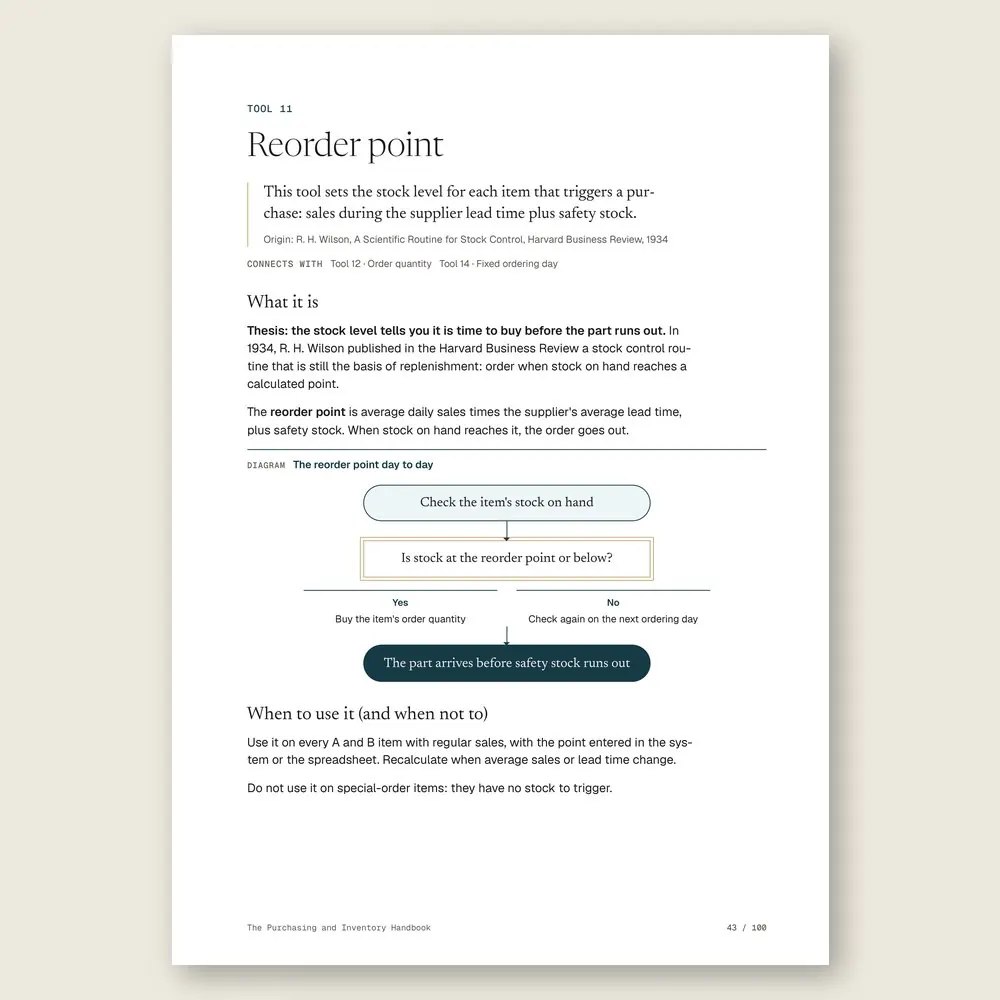
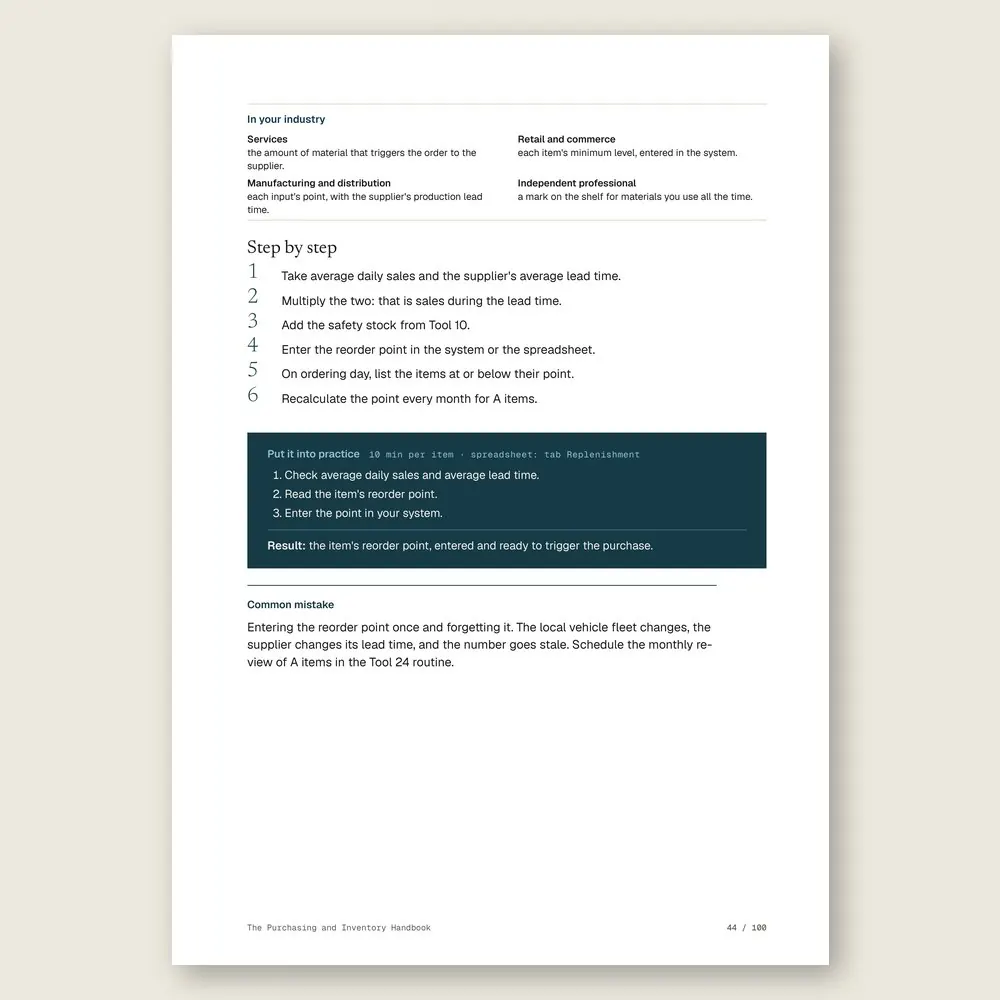
You check its average weekly sales, the supplier's lead time, and the safety stock, and set a reorder point. Next time the count hits that number, the order goes out before the shelf is empty.
INSIDE
What you'll find in each tool
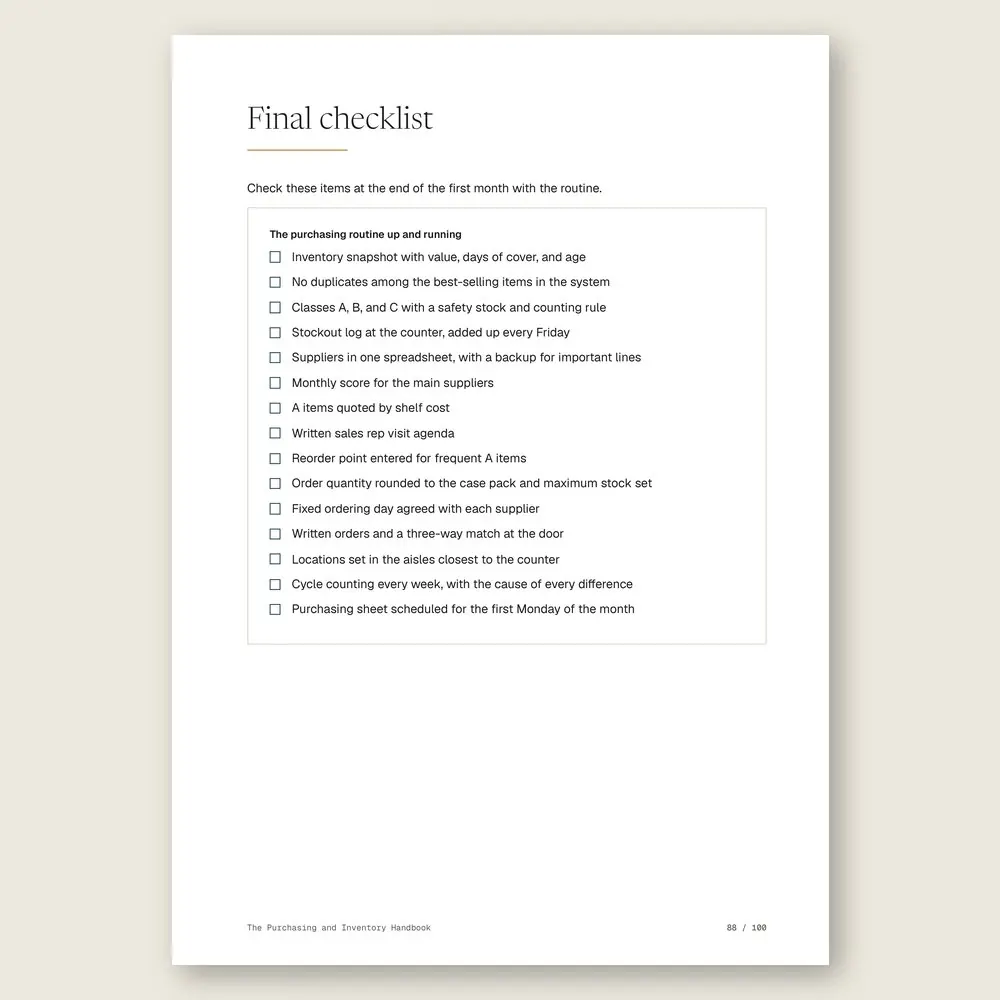
Five parts, in the order a store needs them. Find out what you actually have and what it's costing you. Set up your suppliers, your quotes, and the agenda for the sales rep's visit. Calculate how much to buy and when, item by item. Get every order checked and onto the right shelf. Then keep it under control with cycle counts, a plan for dead stock, and a one-page monthly report. Every tool has a step by step, a worked example, and an exercise.
WHAT YOU GET
Everything included in your purchase
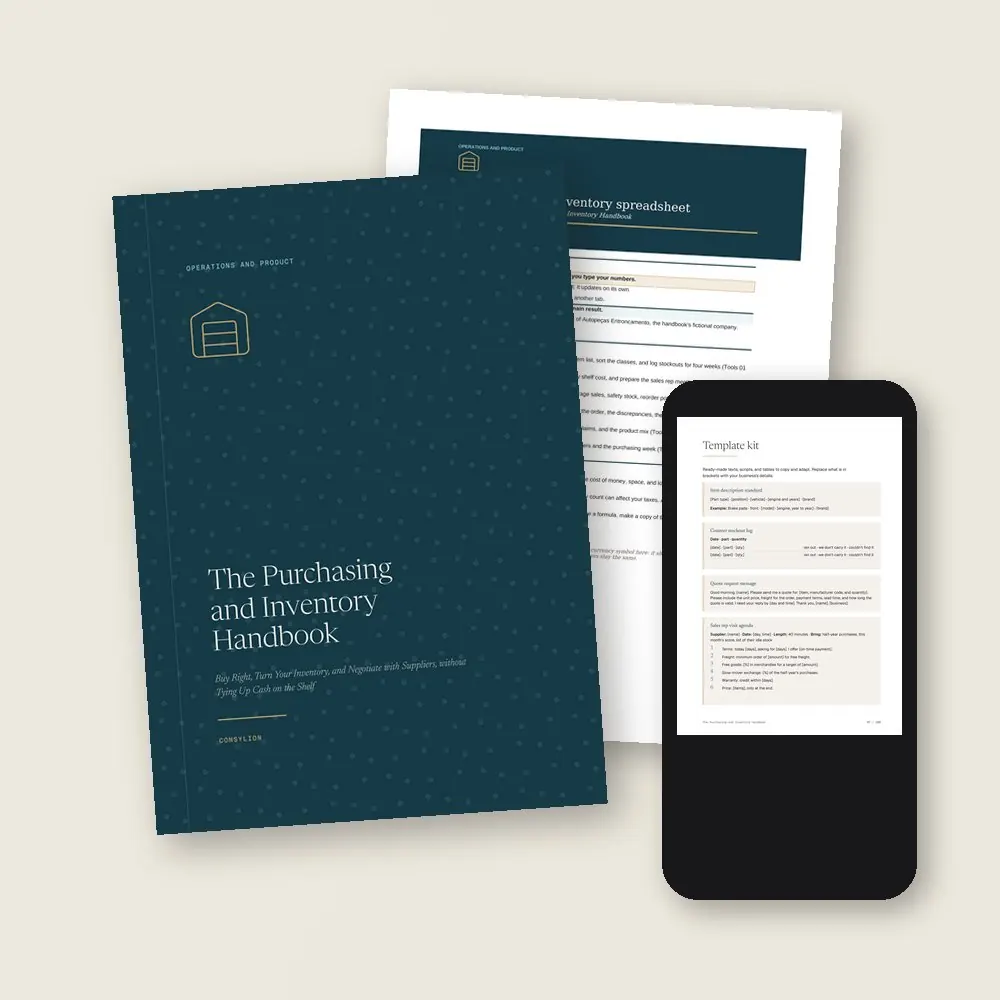
- The Purchasing and Inventory Handbook in PDF: 24 tools, each with a step by step, a worked example, and an exercise
- The Purchasing and inventory spreadsheet in Excel and Google Sheets, with 6 tabs, filled in with the example store
- The Template kit: 13 ready-made texts, from the item description standard and the purchase order to the defective part claim and the purchasing week
- 2 worksheets to fill in (item setup and receiving check) and a 30-day plan, one week per stage
- Access to your handbook on the Consylion platform
Full table of contents
The 24 tools, in the order you'll use them
Part 1 · Part 1 · The inventory you have
- 01The inventory snapshotSee how much money sits on the shelf, in how many items, and for how long
- 02A clean parts listOne code and one description per item, so the same part stops showing up on three lines
- 03Inventory classesKnow which items need tight control and which can run looser
- 04Stockouts and lost salesLog every request you couldn't fill and see what those empty shelves cost you in sales
Part 2 · Part 2 · Suppliers and quotes
- 05Supplier listWho sells what, with what lead time, what minimum order, and who to call
- 06Supplier scorecardA monthly score for on-time delivery, complete orders, price, and how they handle defective parts
- 07Three-supplier quoteSame part, same quantity: compare the cost that actually reaches your shelf
- 08Sales rep meeting agendaTalk payment terms, freight, free goods, and slow-mover exchanges, not just price
Part 3 · Part 3 · How much and when to buy
- 09Average sales per itemHow many of each item sell per week, without getting fooled by one odd week
- 10Minimum and safety stockThe cushion that covers a late supplier and a busy week at the counter
- 11Reorder pointThe stock level that tells you it's time to buy each item
- 12Order quantityHow much to order each time, balancing minimum order, freight, and cash sitting idle
- 13Opportunity buyingWhen a discount or an announced price increase is worth buying extra, and how much
Part 4 · Part 4 · From order to shelf
- 14Fixed ordering dayEach supplier on its own day, with the order list ready before the call
- 15Purchase orderItem, quantity, price, lead time, and terms in writing, before you buy
- 16Receiving and checkingInvoice, order, and goods matched before anything goes into inventory
- 17Bin locationsA set place for every part: aisle, bay, level, and position
- 18First in, first outThe oldest batch goes out first, so nothing ages at the back of the shelf
Part 5 · Part 5 · Control and turnover
- 19Cycle countingCount a little every week instead of closing the store to count everything
- 20Turning dead stock into cashExchange, bundle, sell to another store, or clear out, in that order
- 21Warranty claims and supplier returnsGet defective parts from your counter back to the supplier without losing the credit
- 22Adding and dropping itemsNew items come in on trial, and items that don't sell go out on a set date
- 23Your purchasing numbersDays of cover, fill rate, dead stock, accuracy, and discrepancies on one page a month
- 24The weekly purchasing routineWhat gets done on each day of the week to buy, receive, and count
Who it's for
It's for you if
- You buy on gut feel, or on whatever the sales rep is pushing, and can't say how much money is sitting on your shelves
- You lose sales to stockouts while other items haven't moved in over a year
- Deliveries go onto the shelf without anyone checking them, and parts get lost in your own stockroom
- You count inventory once a year and find differences nobody can explain
- You resell products or keep materials on hand to do the work, in retail, services, manufacturing, or an independent practice
It's not for you if
- You want to set selling prices, markup, and margin by channel. That's The Product Pricing Handbook
- You want to build your cash flow and plan working capital. Start with The Cash Flow and Profit Handbook
- You want negotiation techniques for every situation, not just suppliers. See The Negotiation Handbook
- You want a promise of savings or profit. This handbook organizes your purchasing and shows you how to measure whether it's working
Frequently asked questions
I don't sell auto parts. Will this work for my business?
If you buy goods to resell or keep materials on hand to work, yes. The example is an auto parts store, but every tool shows how it applies to retail, services, manufacturing and distribution, and independent professionals.
I have thousands of items. Where do I start?
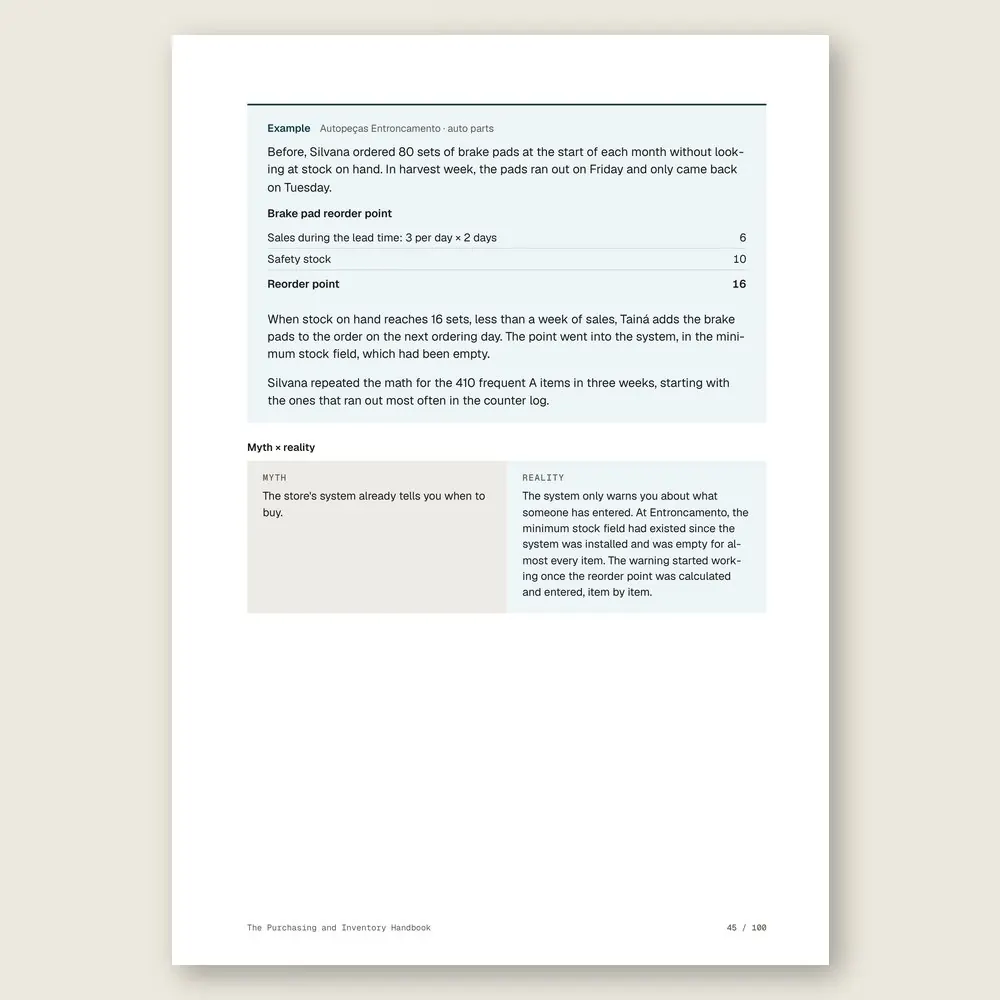
With the items that sell often and hold the most money, which are usually a few hundred. That's where the costly stockouts are. The handbook shows you how to sort them, then run the math for one item first and copy it to the rest.
My system doesn't calculate reorder points. Now what?
Calculate it in the spreadsheet and type the result into your system's minimum stock field. Almost every store system has one, and it starts warning you when an item reaches that level.
Do I need to close the store to count inventory?
No. The handbook uses cycle counting: part of the items every week, the most important ones more often. In the example, that's about an hour a day before opening, following a list in location order.
Who should do the buying, me or an employee?
Day-to-day replenishment can go to whoever receives and counts, working from the list. Quotes, negotiation, and the monthly numbers stay with the owner. The weekly purchasing routine spells out who does what.
How much time does this take?
About 2 hours and 24 minutes of reading, or 6 minutes per tool, plus the exercises. It's written for beginner to intermediate readers. The 30-day plan takes you from the first inventory snapshot to a weekly routine.
What do I get, and in what formats?
Each handbook is a PDF of about 100 pages with 24 to 27 tools. Every tool has step-by-step instructions and a worked example. You also get the handbook's spreadsheet in Excel (.xlsx), which opens in Google Sheets too, with the example already filled in. The message, policy, and clause templates are in the Template Kit inside the PDF, ready to copy and adapt. Read it in the member area or download the files.
How do I know if it fits my business?
Each handbook's page shows the problem it solves, who it is for and who it is not for, the full table of contents, sample pages, and the company used in the examples. The examples come from small businesses in several industries, with illustrative numbers. If it is not a fit, you can ask for a full refund within 14 days of your purchase, as described in the Refund Policy.
What is the difference between a handbook, an area set, and the Series?
A handbook solves one problem. An area set brings together every handbook and spreadsheet in one of the 6 areas, for less than the price of 5 single handbooks. The Consylion Handbook Series brings together all 100 handbooks and 100 spreadsheets, for less than the price of 8 single handbooks, and includes the next handbooks in the Series. Products outside the Series, from Consylion Life or Consylion Business, have their own price. They are sold separately and are not part of an area set or the Series.
Do I need to read everything before I start?
No. Each tool works on its own. Open the table of contents, pick the tool for today's problem, and start there. You can also read it cover to cover.
Do I need to know Excel?
The basics are enough: open the file and fill in the marked fields. The formulas are already built, and the handbook's example is filled in for reference.
How do I pay, and when do I get access?
By card or bank transfer, as a one-time payment with no subscription. Once your payment is confirmed, you get access to the member area by email. Approved card payments are confirmed right away. Bank transfers are confirmed when the funds clear. If access does not arrive within 24 hours of confirmation, check your spam folder and write to team@consylion.org.
How long do I have access, and how can I use the files?
Access does not expire, and you can download the files for offline use. The license is individual. You may read the handbooks, print them for your own use, and fill in and adapt the spreadsheet and templates with your company's data. If you are a consultant, accountant, or manager, you may apply the tools with your clients and deliver the result of your work, not the files. You may not share, resell, or distribute the files or the access.
How do support and refunds work?
Support is by email at team@consylion.org, on business days, with a reply within 5 business days. It covers questions about access, files, and payment. It does not include consulting or advice on applying the material to your case. You can cancel within 14 days of your purchase, without giving a reason, and get the full amount back through the payment method you used. Send the request to the same email. The details are in the Refund Policy.
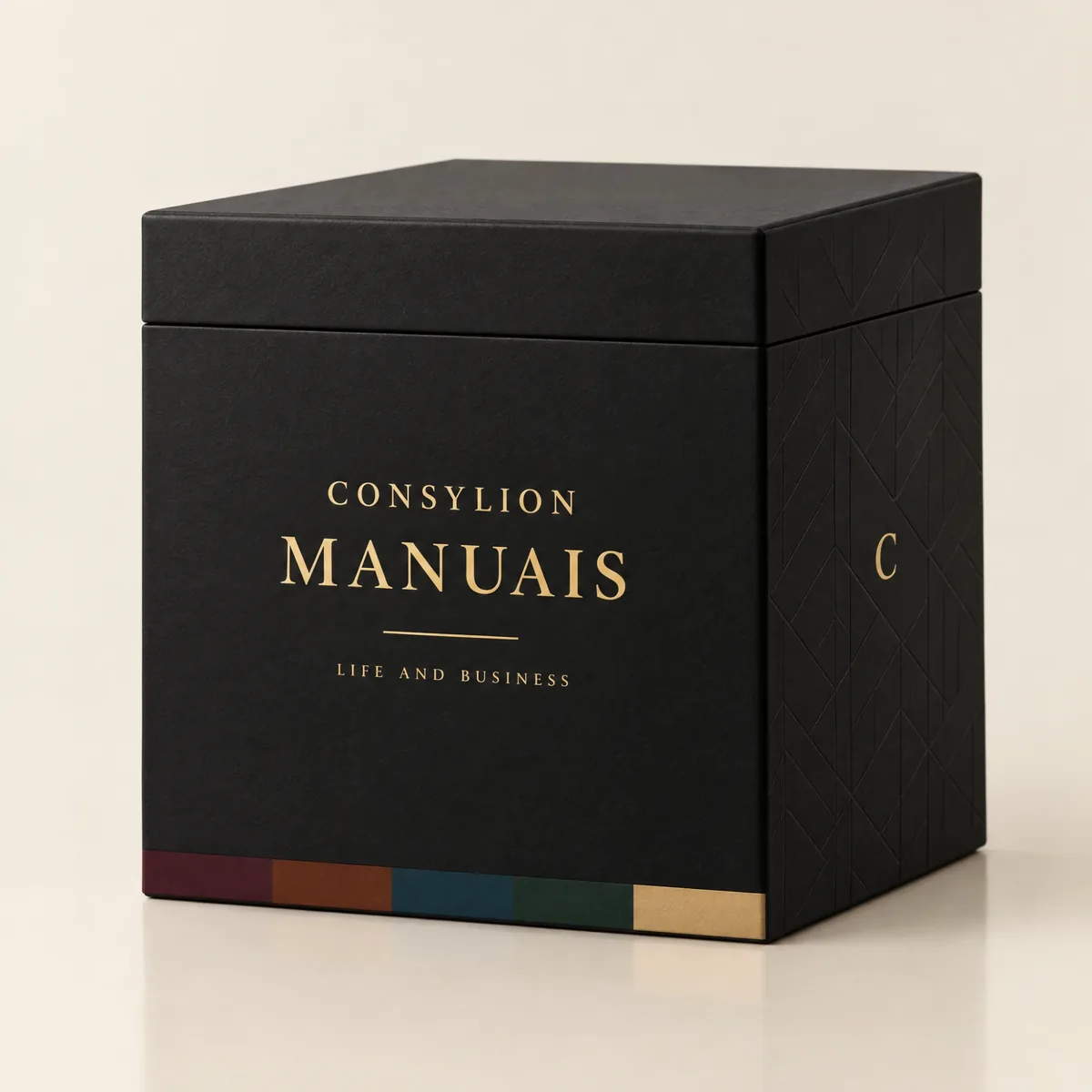
CONSYLION HANDBOOK SERIES
The 6 departments of your business, for less than the price of 8 single handbooks.
This handbook solves today's problem. The Series solves the next one, and the one after that, with nothing more to pay.
- 100 handbooks with 2,403 ready-made tools, to read on screen and download as PDFs
- 100 spreadsheets for Excel and Google Sheets
- 6 business areas
- Lifetime access, unlocked once payment is confirmed
One-time payment of $197.00. The order form shows the final amount, with any taxes for your country, before you pay.
Digital delivery: PDF handbook, spreadsheet and access on the Consylion platform.
14-day money-back guarantee: if it isn't what you expected, request a full refund within 14 days of purchase.
Your order is processed by Digistore24, our authorized reseller. By purchasing, you accept the terms of use and purchase · refund policy.
Operations and Product · Nº 58
Find out what's on your shelves before you buy more
Buying well doesn't take expensive software or a seasoned buyer. It takes a few calculations and a routine. This handbook gives you the tools, the spreadsheet, and a store worked through from the first snapshot to six months later. Start with the snapshot this week.
See all 100 handbooks · $197.00
One-time payment of $29.00. The order form shows the final amount, with any taxes for your country, before you pay.
Digital delivery: PDF handbook, spreadsheet and access on the Consylion platform.
14-day money-back guarantee: if it isn't what you expected, request a full refund within 14 days of purchase.
Your order is processed by Digistore24, our authorized reseller. By purchasing, you accept the terms of use and purchase · refund policy.